Configure Cluster
Cluster of replicated nodes
Setting up the secondary node for High Availability.
This section details on how to install a secondary node as a slave to acts as a failover in case the primary is accessible due to hardware or network failures. Its always recommended to setup a secondary node for high availability ( HA ) so that remote endpoint devices are accessible at all times and access is uninterupted. By default the Primary node would be in master state and the secondary node in the slave state.
Before you begin the installation of the secondary node.
- Make sure that the secondary ip is licensed.
- Make sure that mysql server is running on the slave.
- Make sure the firewall on master does not block mysql and ssh connections initiated from the slave.
- On the secondary node, download the same binary package that was used on primary. This is to ensure that the primary and the secondary node uses the same version of Ezeelogin for the cluster to work.
Run the following command on the secondary server to install Ezeelogin.
sh ezlogin_5.9.26.bin -- -secondary -othernode 172.16.9.247
and follow the on screen instructions.
Once the secondary node has been setup, the cluster tab on primary node would looks as follows.

- Node state Show the current state of the node.
- master Add/Edit operation can be performed only in this mode.
- slave Read only mode of operation.
- Other node Show the state of the other node in the cluster. Click
 to remove the slave node from cluster.
 - Status Shows the connection state between the nodes. Click
 to break out of the cluster and run independently.
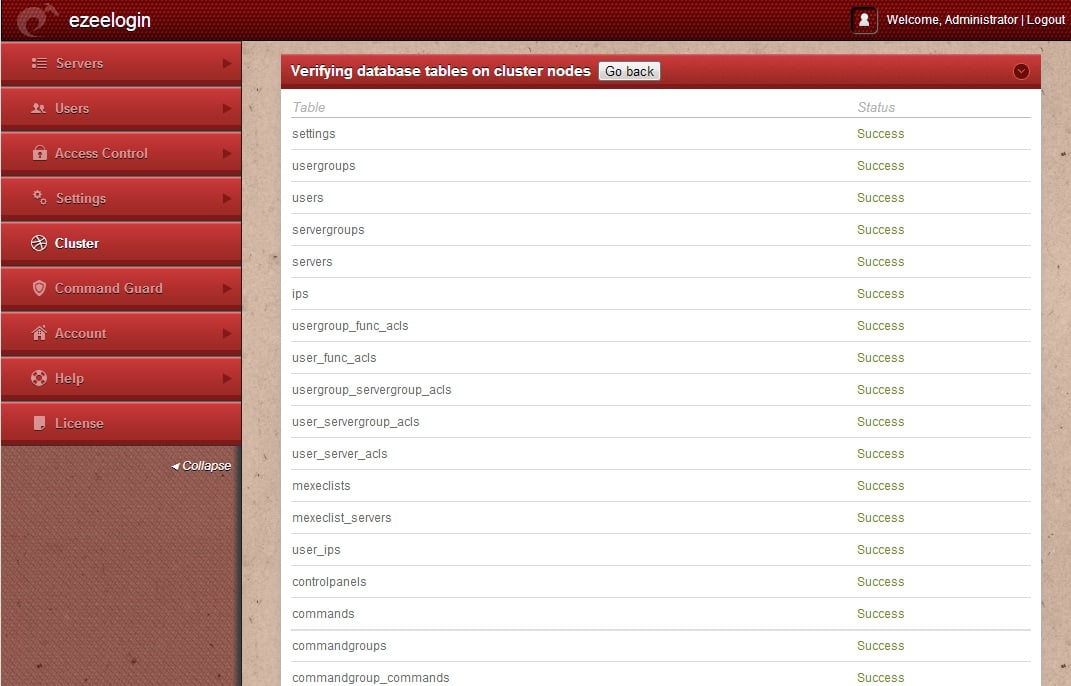
 - Verfiy database This would check if the dbs are identical on the master and slave. It would show if there are any differences in the database tables and would prompt the user to resolve any inconsistencies that may arise.
- Reset this node Fingerprint Use this to reset the fingerprint of the current node if its SSH identification has changed.
Once the secondary node has been setup, the cluster tab on it would looks as follows. Note the Node state Slave for the secondary node. Click  to turn the slave into master node if the master fails.
