How to find the Ezeelogin software version, build ID and last upgrade date and that was being run?
Guide to find Ezeelogin version, build ID, and last updated version date
Overview: This article describes how any user can find the Ezeelogin version, build ID, and last version update date.
Here’s how you can easily retrieve crucial information about your Ezeelogin setup using different methods:
1. Find the Ezeelogin version.
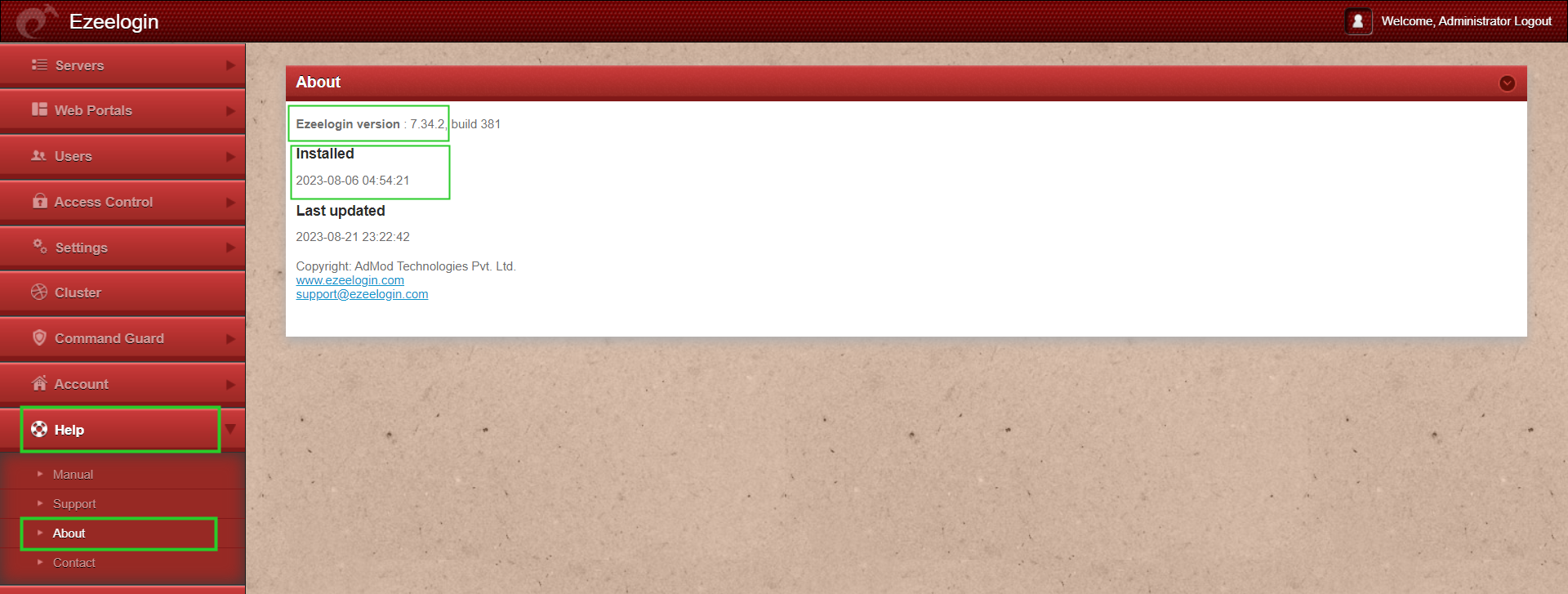
Step 1(A): In the web GUI, navigate to Help -> About -> It will help you find the Ezeelogin version and installed date and time being run.
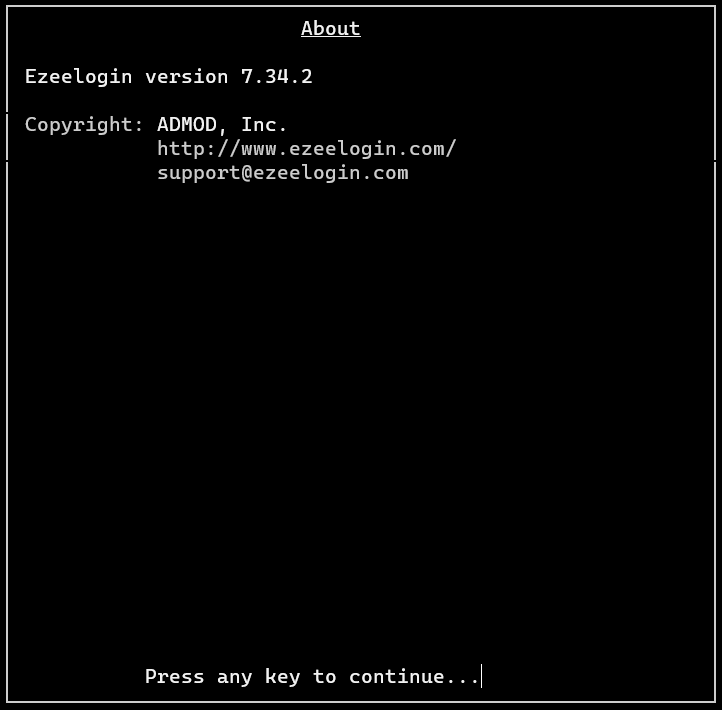
Step 1(B): In the Ezeelogin backend ( ezsh ), press F3 or |
Step 1(C): If you have access to the SSH jump box, then log into the Ezeelogin server and run the command.
root@gateway :~# ezsh -v
Ezeelogin version 7.34.2
(libssh2: 1.11.0)
Copyright (c) ADMOD, Inc.
www.ezeelogin.com
2. Find the Build ID
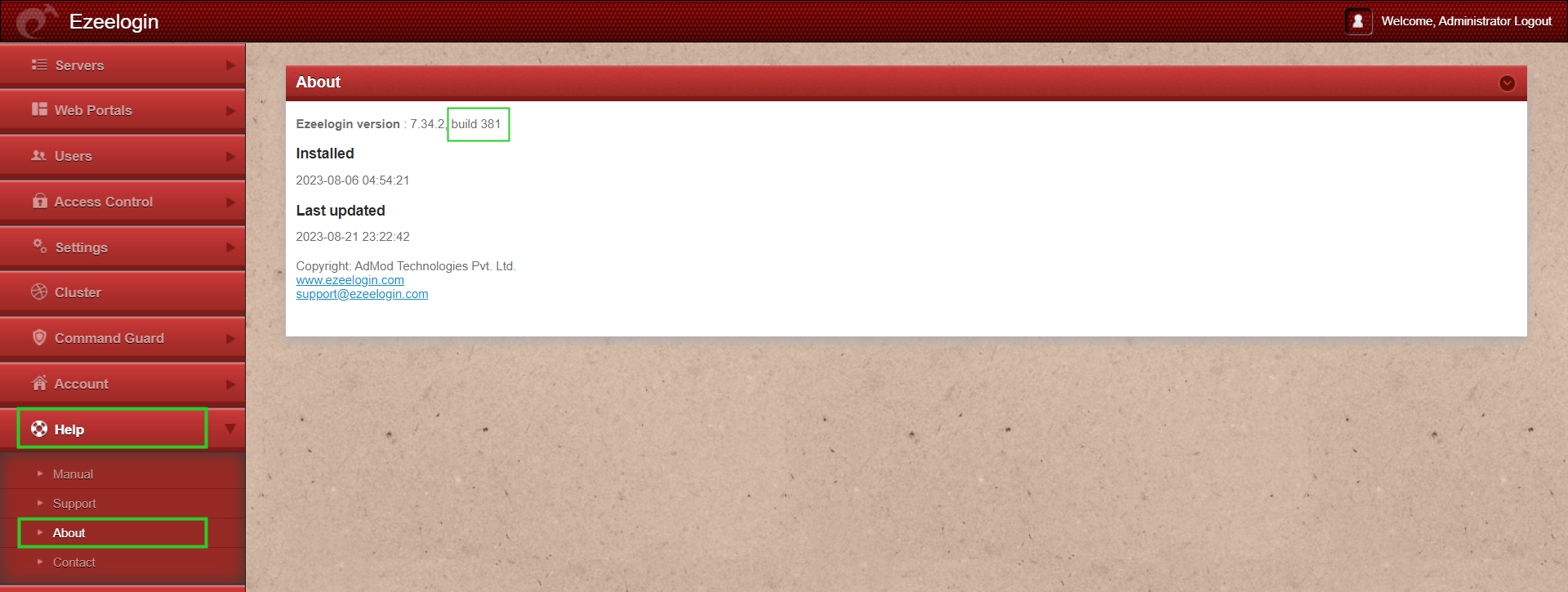
Step 2 (A): To find the build ID in Ezeelogin navigate to Help -> About -> where you'll find the build ID. Build ID cannot be changed manually.
It is a unique number issued to every new license for every new installation.
3. Last Updated version date.
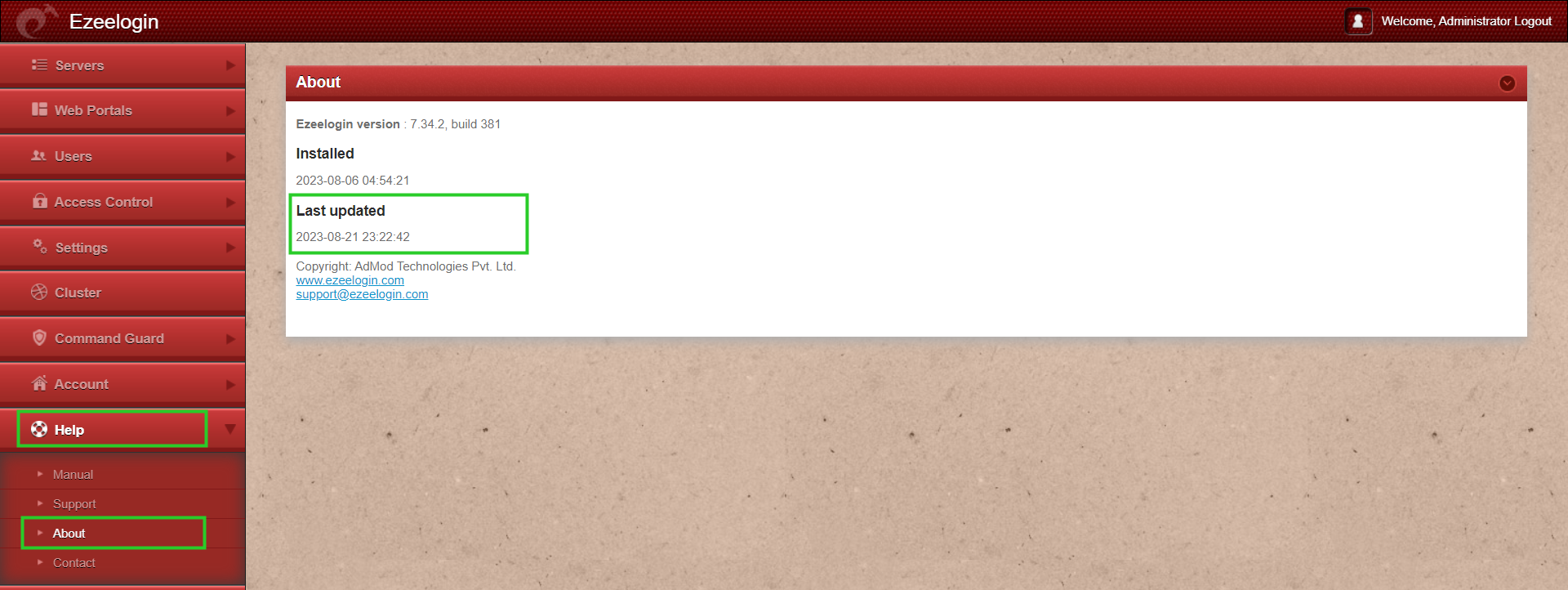
Step 3 (A): In the web GUI, navigate to Help -> About -> It will help you find the last updated Ezeelogin version date
4. Find the node and state of cluster
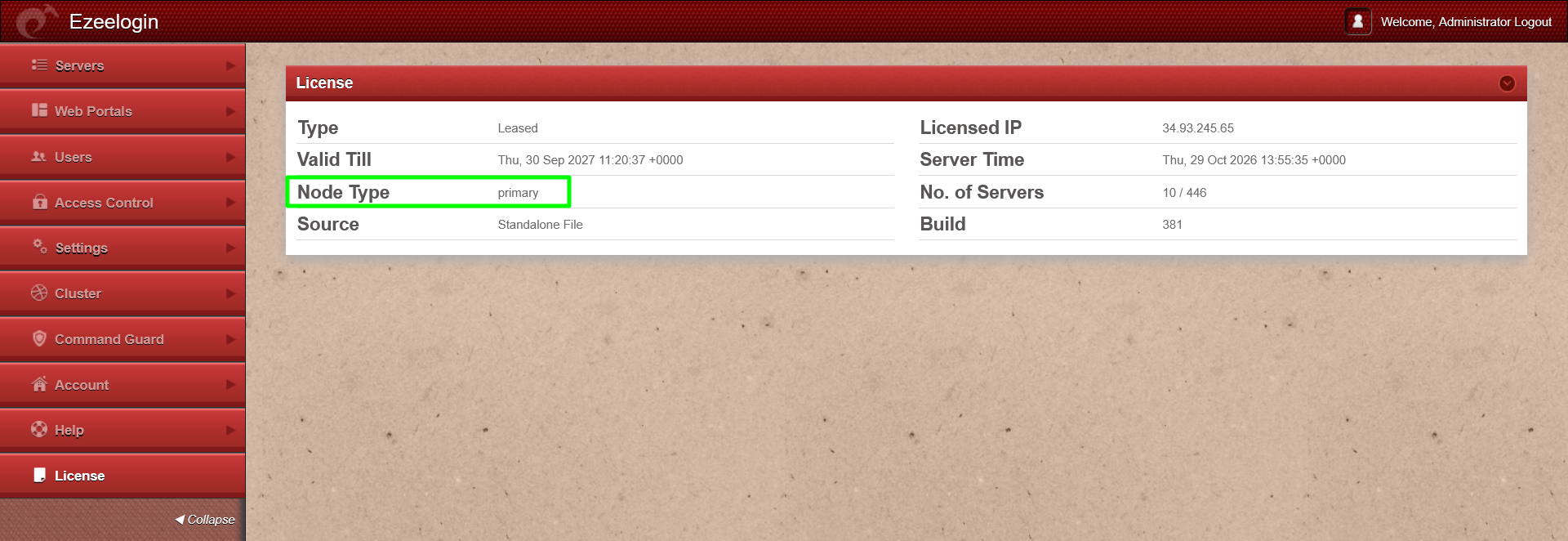
Step 4(A): Log in to the Ezeelogin GUI, navigate to the License tab, and check the Node Type to identify the node type.
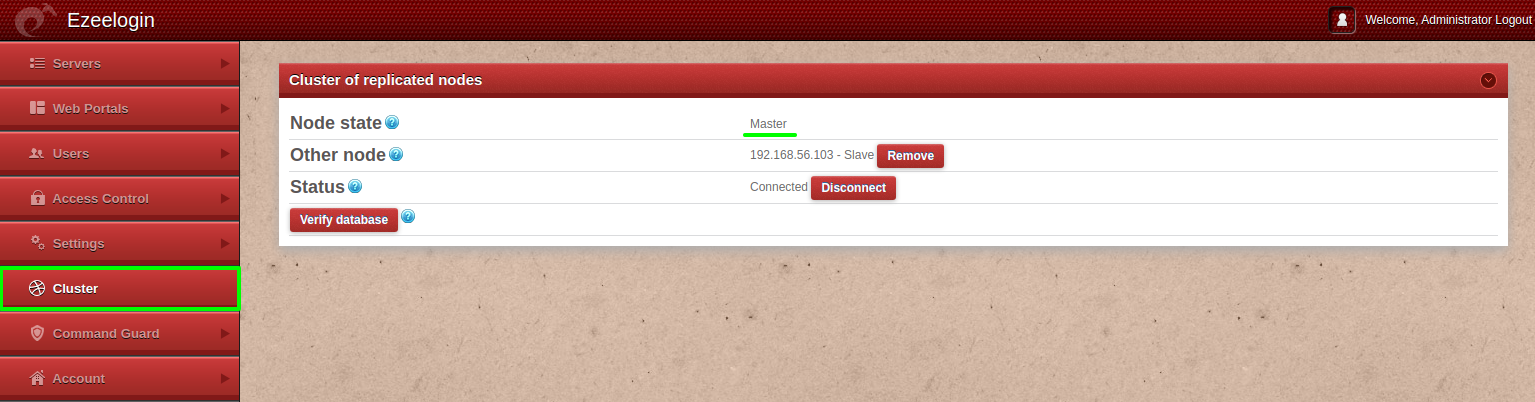
Step 4(B): Log in to the Ezeelogin GUI, navigate to the Cluster tab, and check the Node State to identify the current state of the node.
Step 4(C): Log in to the gateway server and execute ezsh -v to identify the node type and node state.
root@gateway :~# ezsh -v
ezsh -v
Ezeelogin version 7.48.0
(libssh2: 1.11.1)
Node Type: primary
Node State: master
Copyright (c) Admod Technologies Pvt. Ltd.
http://www.ezeelogin.com/
support@ezeelogin.com
Step 4(D): When logged in to ezsh, press 'F3' or '|' to view the current node type and node state.
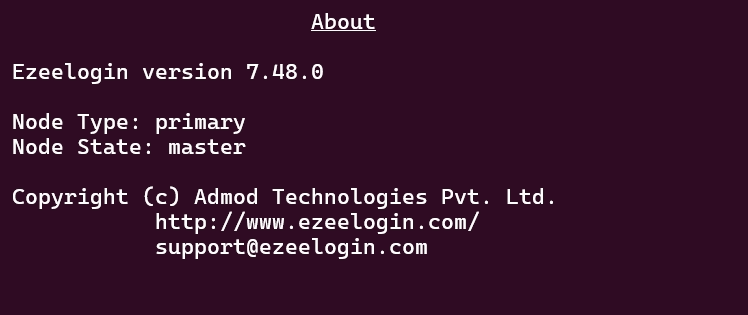
Note: The ability to identify whether you are logged in to the Primary or Secondary node is available in Ezeelogin 7.45.0 and later. Not sure which version you have? Check it in the Ezeelogin UI. If you’re on an earlier release, upgrade Ezeelogin first
Related Articles: