How to add a ssh gateway user in ezeelogin ?
Guide for adding an SSH gateway user via Ezeelogin
Overview: This article explains how to add a user from your Gateway server web panel.
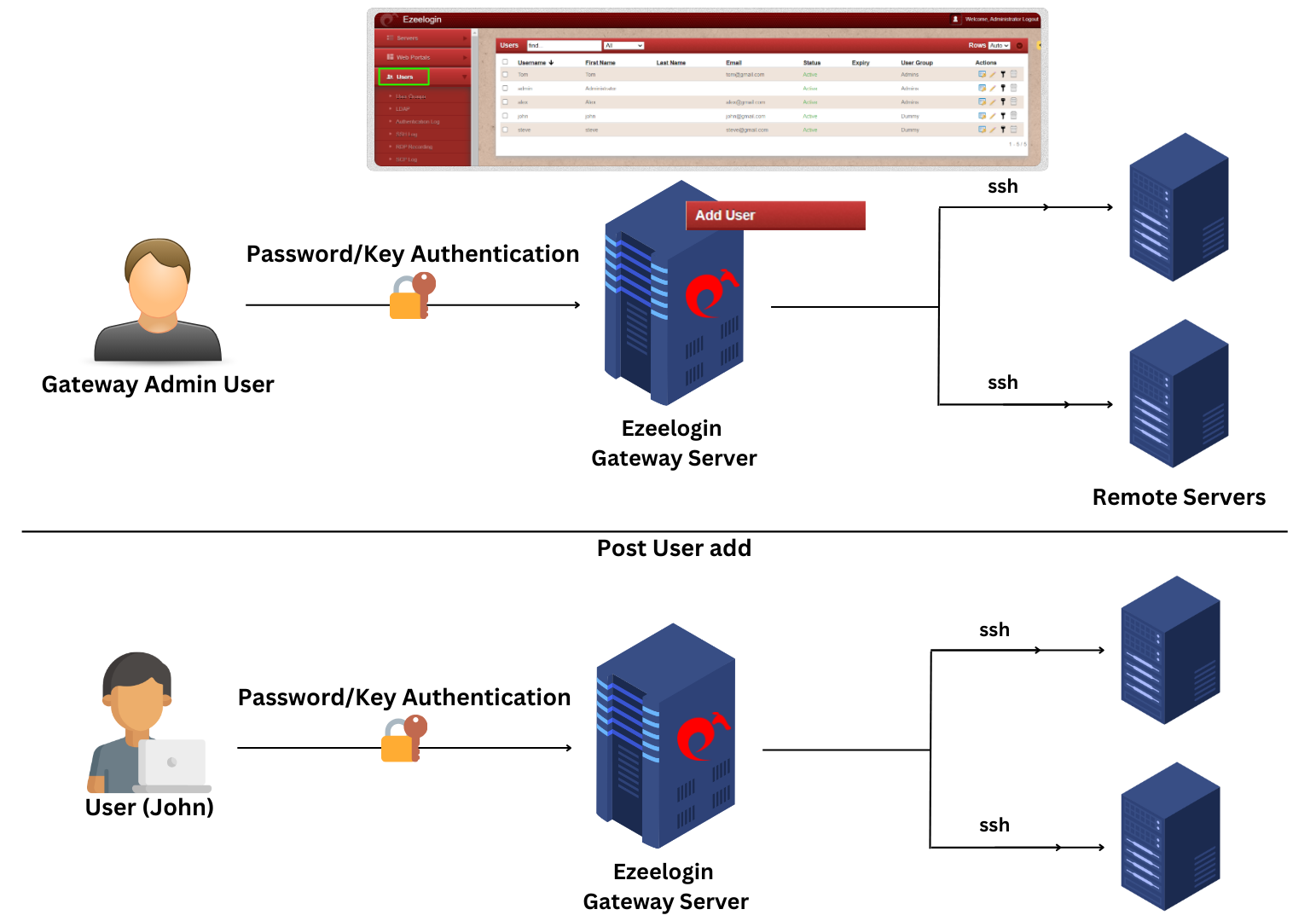
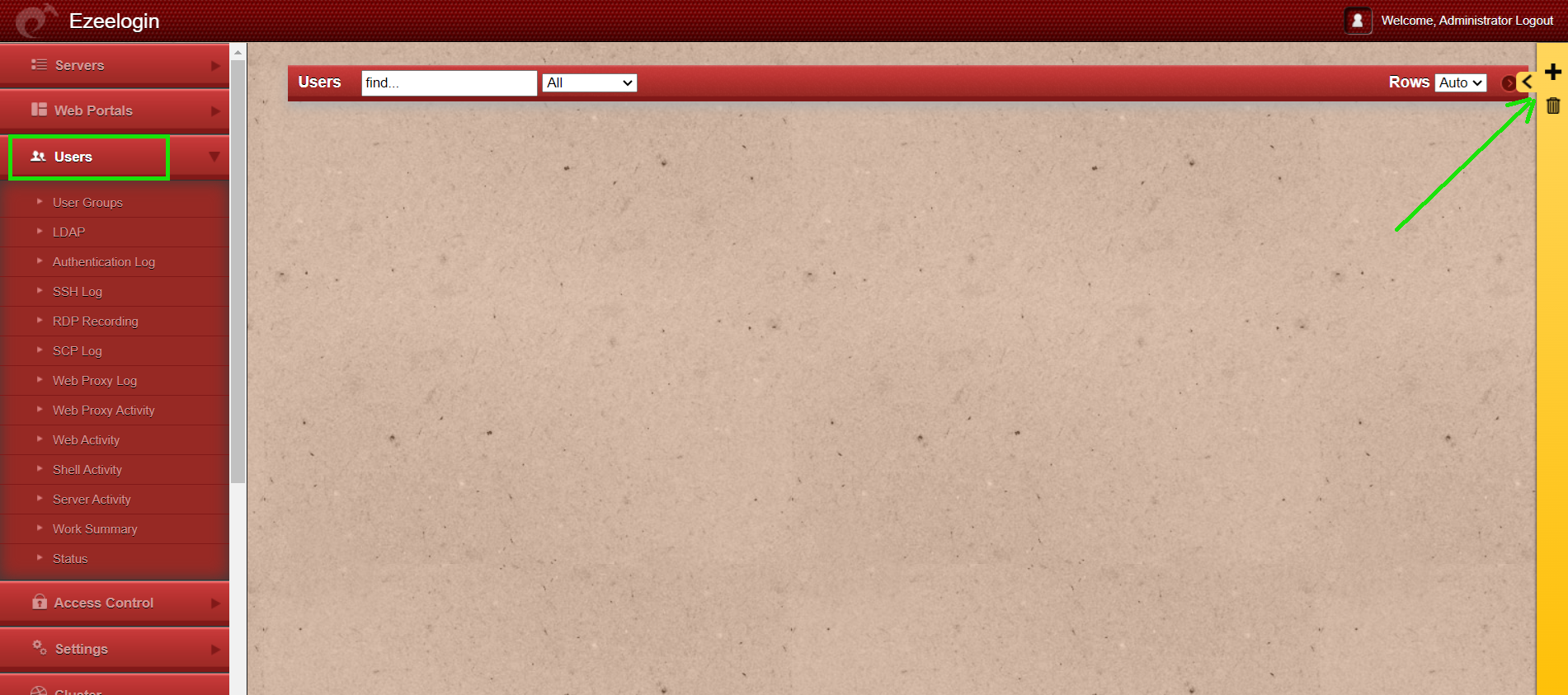
Step 1: Select the Users tab from the web GUI and click the Add User (+ icon) on the right.
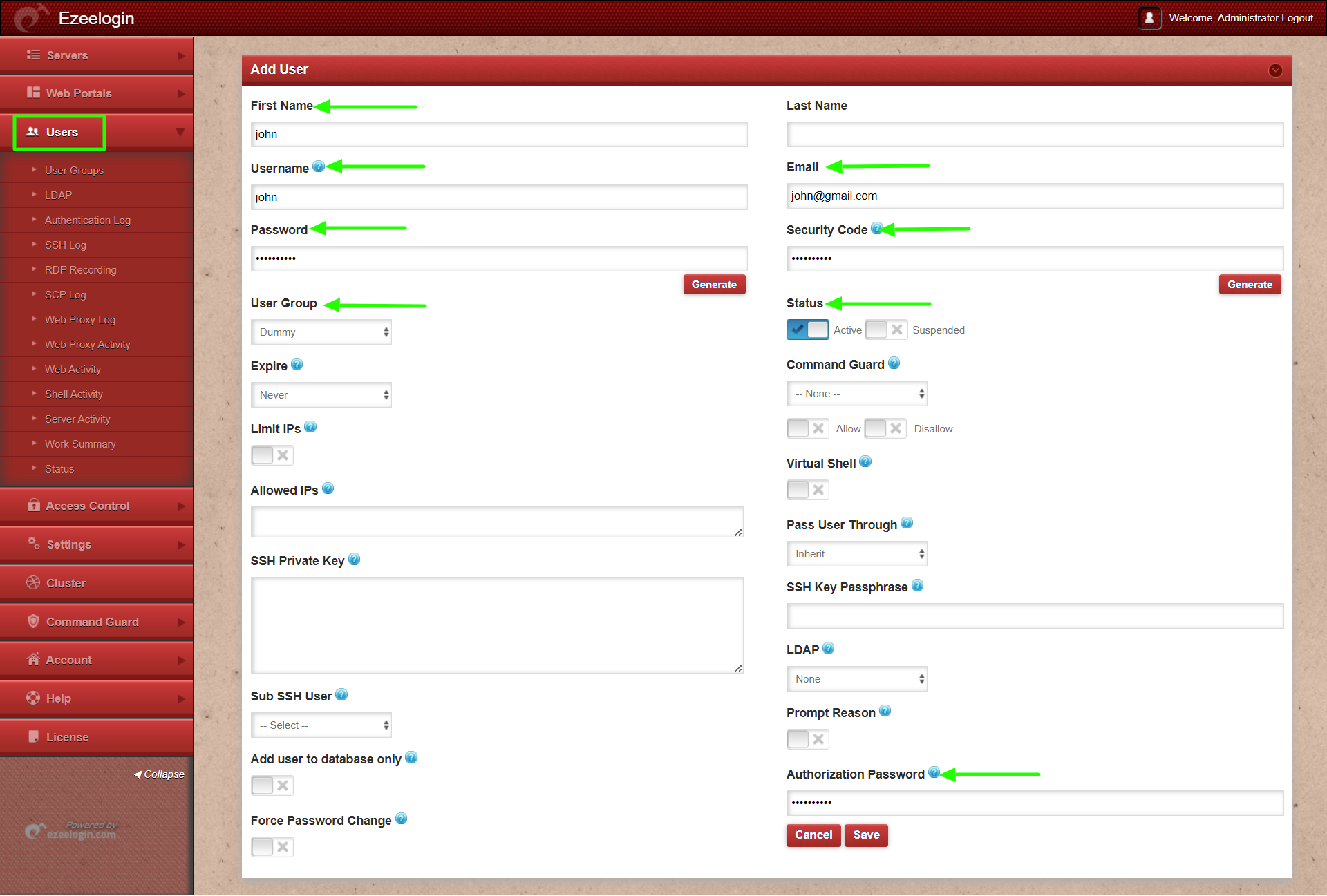
Step 2: Enter the details of the user : username, email, password, security code, and other required details to add the user , then click save.
Step 3: User details can be viewed from Users tab.
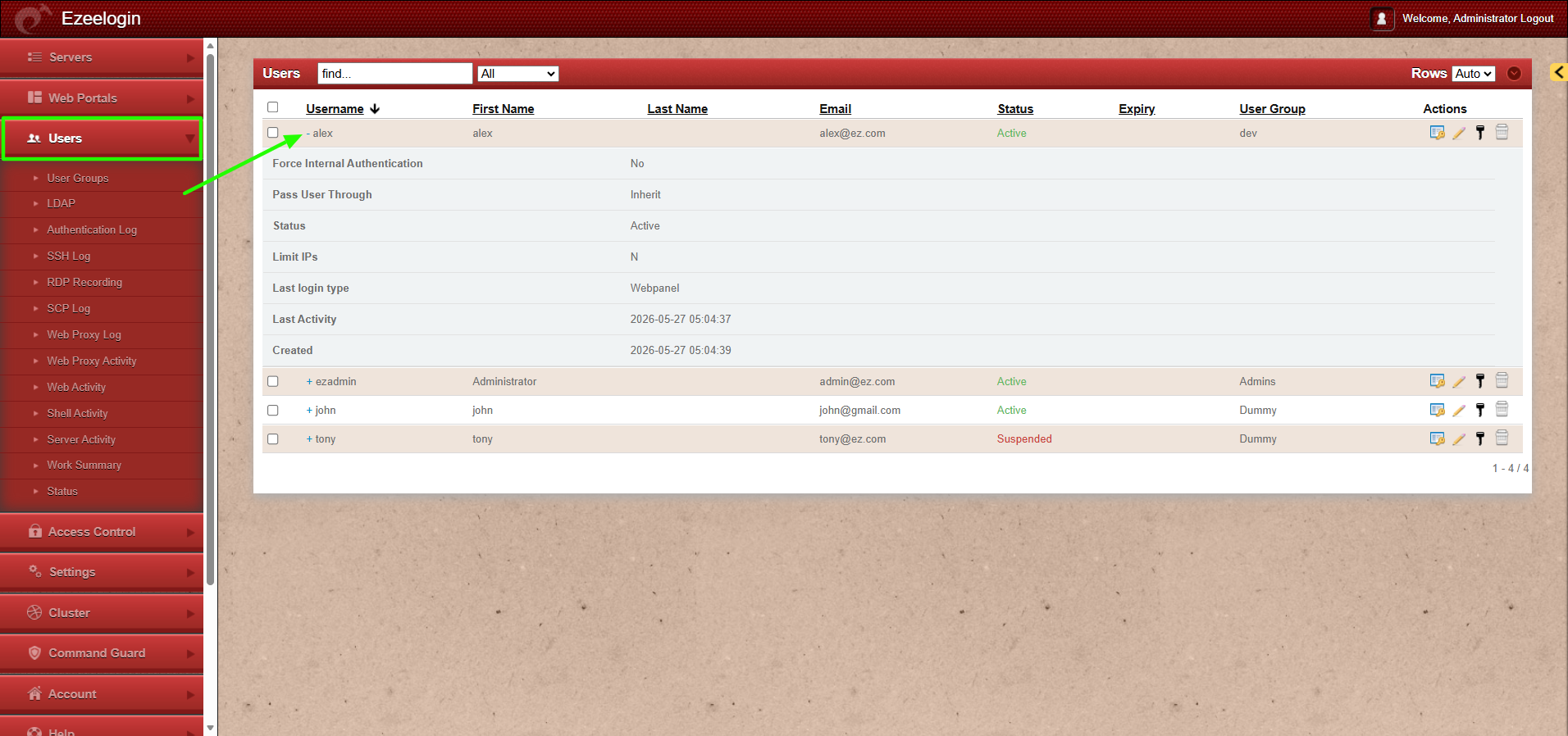
Detailed option for viewing user details is available from Ezeelogin version 7.46.0. Refer article to upgrade Ezeelogin to latest version.