How to reset cluster keys in ezeelogin Master-slave Configuration ?
Regenerating cluster keys for primary and secondary nodes in ezeelogin
Overview: This article details how to reset the cluster key in Ezeelogin, focusing on regenerating keys for secure master-slave communication. It covers key type selection, primary node reset commands, and secondary node reinstallation steps.
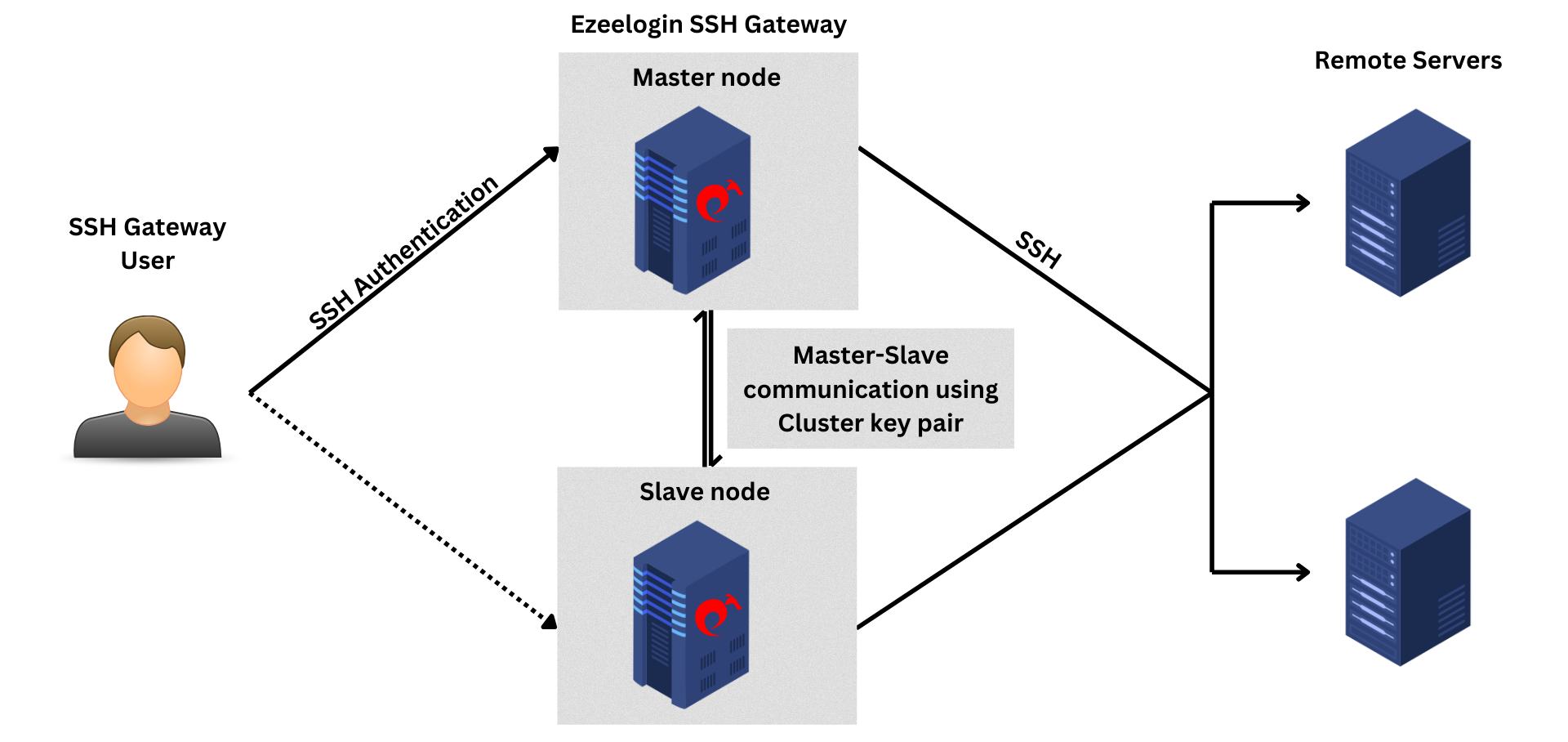
The cluster key in Ezeelogin is used for master-slave communication and user add/edit functions. The cluster key is generated at the time of Ezeelogin installation. The private key of the cluster key is encrypted and saved in the Ezeelogin database and cannot be retrieved.
Note: Cluster keys now support ed25519, ecdsa, dsa, and rsa key types starting from Ezeelogin version 7.37.8.
Refer to the article to upgrade to the latest version.
After upgrading, make sure to regenerate the cluster key with the specified key type and both cluster nodes must support this key type.
Step 1. Refer help option for regenerating the cluster key pair.
root@primary:~# /usr/local/ezlogin/eztool.php -- -help
-regenerate_cluster_key : Regenerate Cluster SSH key (for connecting to cluster nodes)
-clssh_key_type : Cluster SSH key type (ed25519, ecdsa, dsa, rsa) for SSH to cluster nodes. Note: Both cluster nodes must support this key type. (only for -regenerate_cluster_key)
Step 2(A) Enter the following command to reset the cluster key on Primary(master) Ezeelogin. This will regenerate ed25519 key by default.
root@primary:~# /usr/local/ezlogin/eztool.php -regenerate_cluster_key
Example:
root@primary:~# /usr/local/ezlogin/eztool.php -regenerate_cluster_key
_ _
___ _______ ___| | ___ __ _(_)_ __
/ _ \_ / _ \/ _ \ |/ _ \ / _` | | '_ \
| __// / __/ __/ | (_) | (_| | | | | |
\___/___\___|\___|_|\___/ \__, |_|_| |_|
|___/
#########################
# Ezeelogin Tool #
#########################
Checking environment... The memory limit is less than 4 GB. If the script crashes abruptly without any errors, try increasing the PHP memory limit.
done
Checking license... done
Enter the Ezeelogin administrator password: ######
Regenerate cluster key pair...
/
#######################################
New cluster key pair has been set up.
#######################################
OR
Step 2(B) Enter the following command to reset the cluster key with specific key type.
root@primary:~# /usr/local/ezlogin/eztool.php -regenerate_cluster_key -clssh_key_type rsa
Note: The cluster private key is located at /usr/local/etc/ezlogin/id_clkey and cluster public key at /usr/local/etc/ezlogin/id_clkey.pub
Step 3. Update the new cluster key to the authorized_keys file
root@primary:~# cat /usr/local/etc/ezlogin/id_clkey.pub >> /root/.ssh/authorized_keys
How to reset the cluster key in secondary/slave node?
Step 1.Copy the cluster key from the primary node to the secondary node to update the secondary node’s cluster key. Replace secondary node IP.
root@primary:~# scp -P <gateway_SSH_port> /usr/local/etc/ezlogin/id_clkey /usr/local/etc/ezlogin/id_clkey.pub root@secondary_ip:/usr/local/etc/ezlogin/
Step 2. Update the new cluster key to the authorized_keys file
root@secondary:~# cat /usr/local/etc/ezlogin/id_clkey.pub >> /root/.ssh/authorized_keys
FAQ:
1. Can we disable the slave server since we are currently using only the master node?
Certainly, the choice to disable the slave server is yours, but keep a note that data synchronization between the master and slave servers will not occur if the slave is disabled. It is recommended to keep both servers running and synchronized for real-time data updates, as changes made to the master server will automatically sync with the slave server.
Related Articles:
Install slave / secondary node for high availability in jump server
Different types of SSH authentication keys
Using custom private and public keys in Ezeelogin
SSH Key rotation to remote servers
Switch the IP of Master/slave installation