Integrate SSH Jump server with splunk for SIEM
How to forward SSH Jump Server logs to Splunk?
Overview: This article explains how to configure Splunk HTTP Event Collector (HEC) to forward Ezeelogin SSH Jump Server logs for real-time monitoring and analysis.
Splunk is a software platform designed for searching, monitoring, and analyzing machine-generated data in real time. It provides insights into various data sources, including logs, events, and metrics, allowing organizations to gain information and troubleshoot efficiently. Splunk is widely used for log management, security information and event management (SIEM), and business analytics.
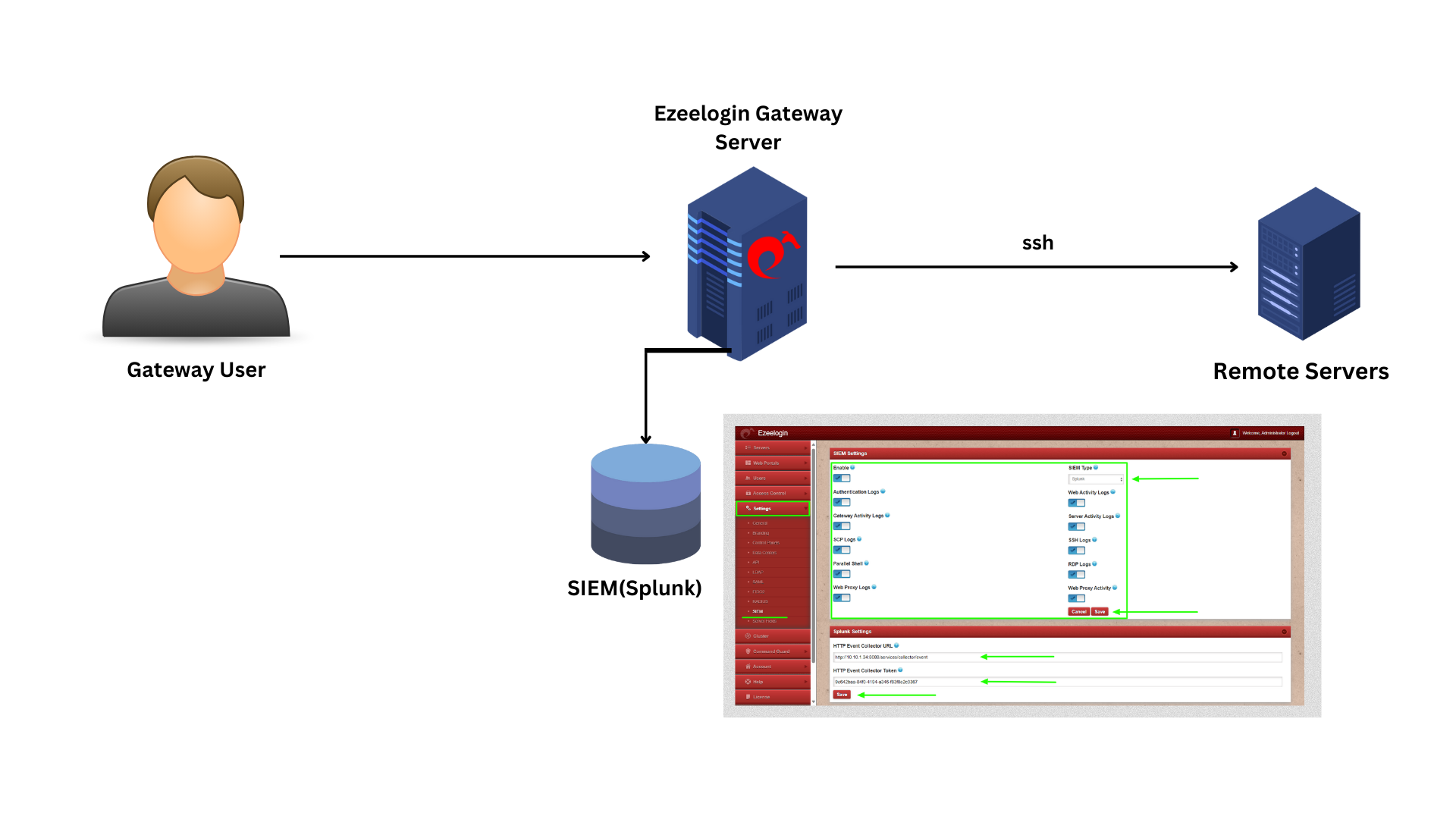 We are configuring Splunk HTTP Event Collector (HEC) which allows Ezelogin logs to be streamed to Splunk
Step 1: Log in to Splunk and refer to the steps to create an index for Ezeelogin.
Click on Settings -> Indexes
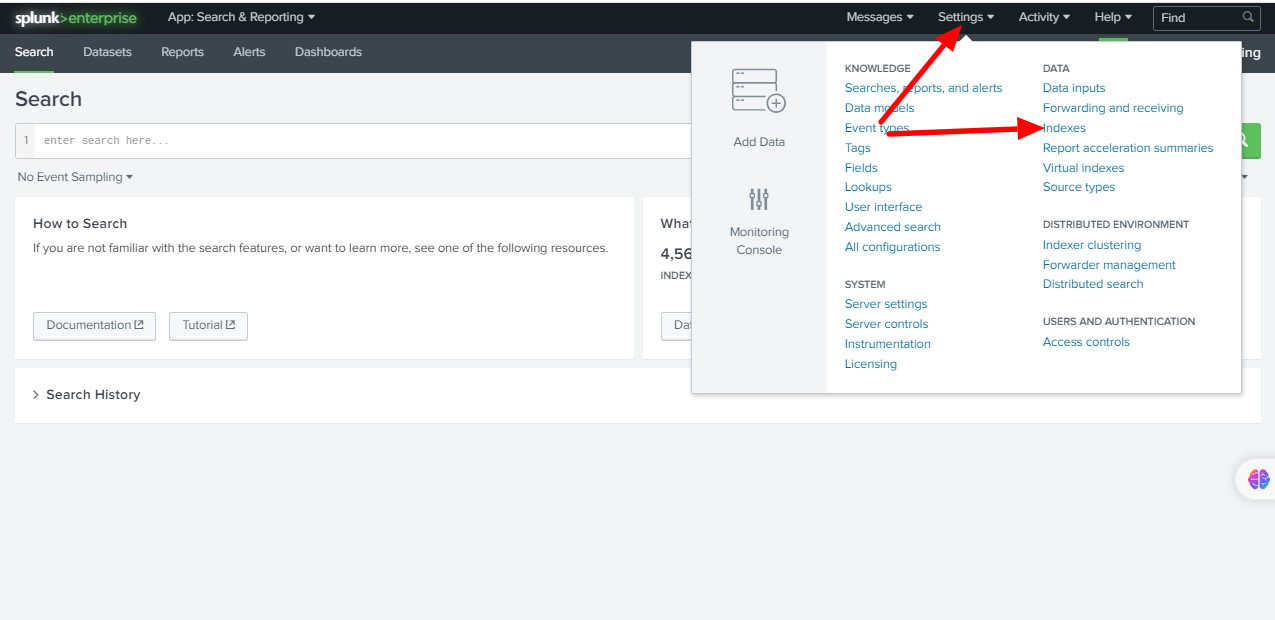
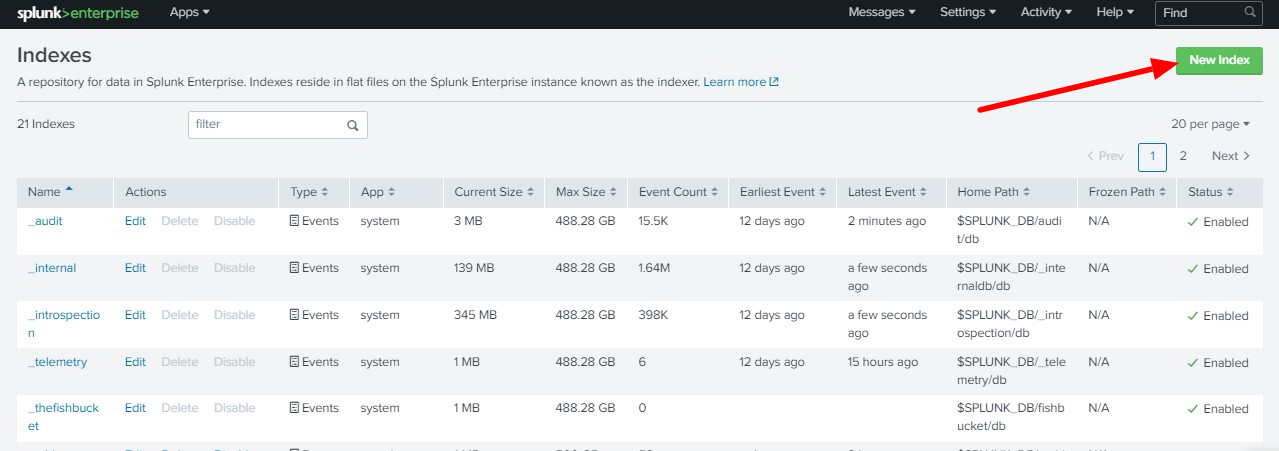
Step 2: Click on New Index to create a new index.
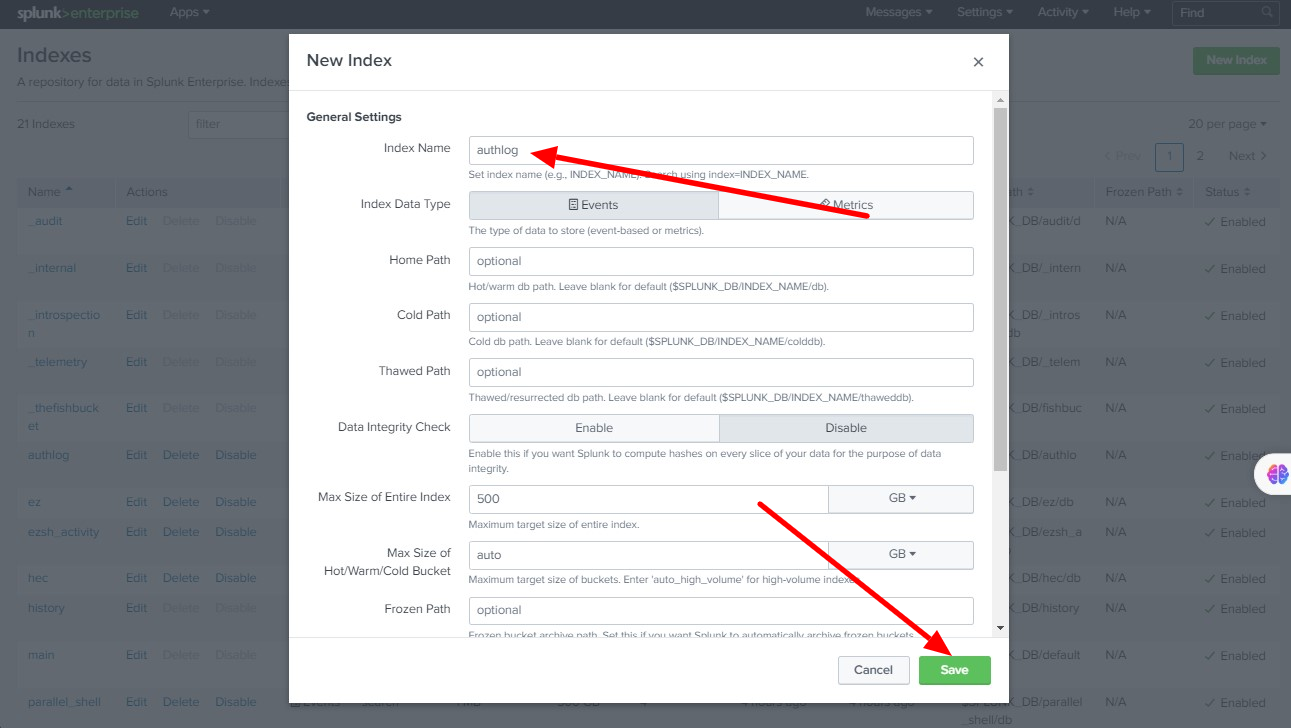
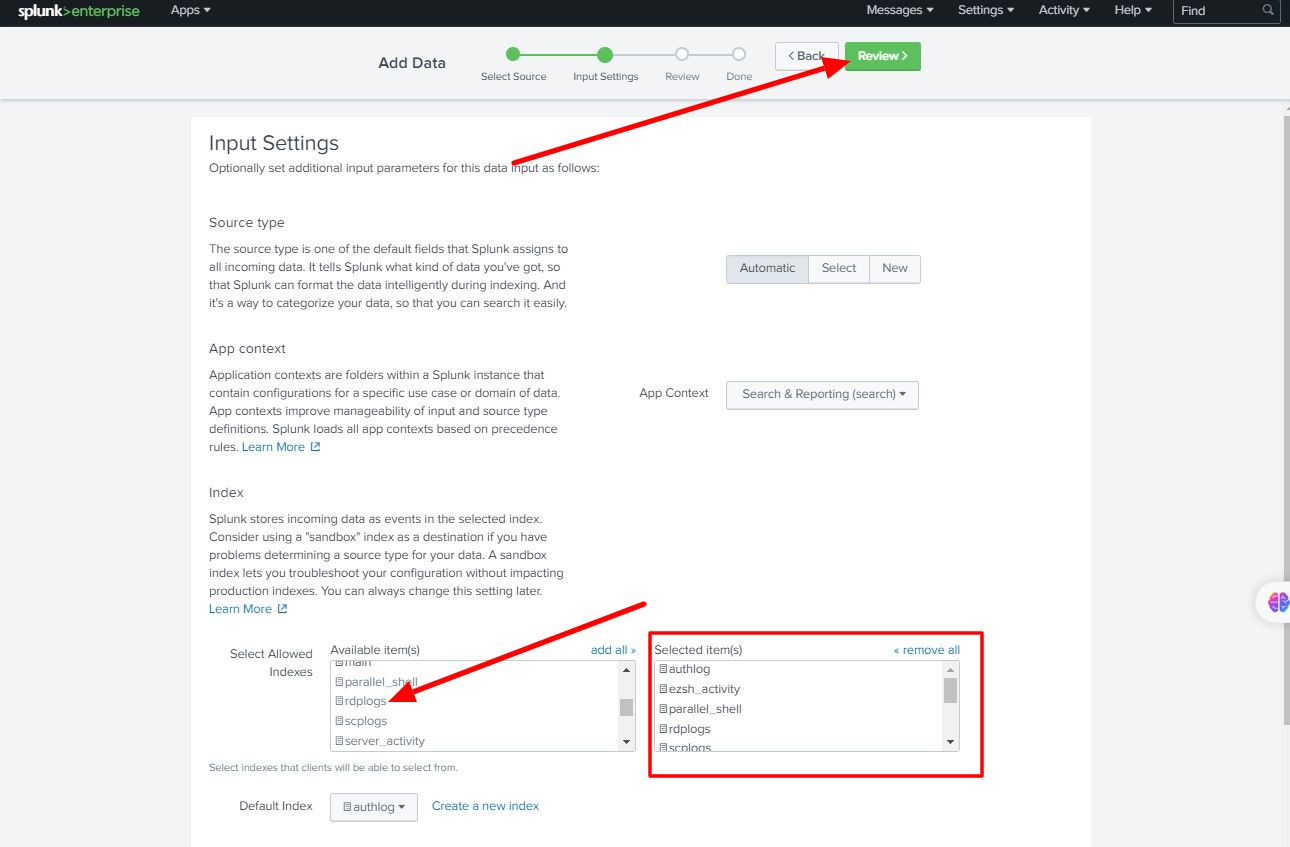
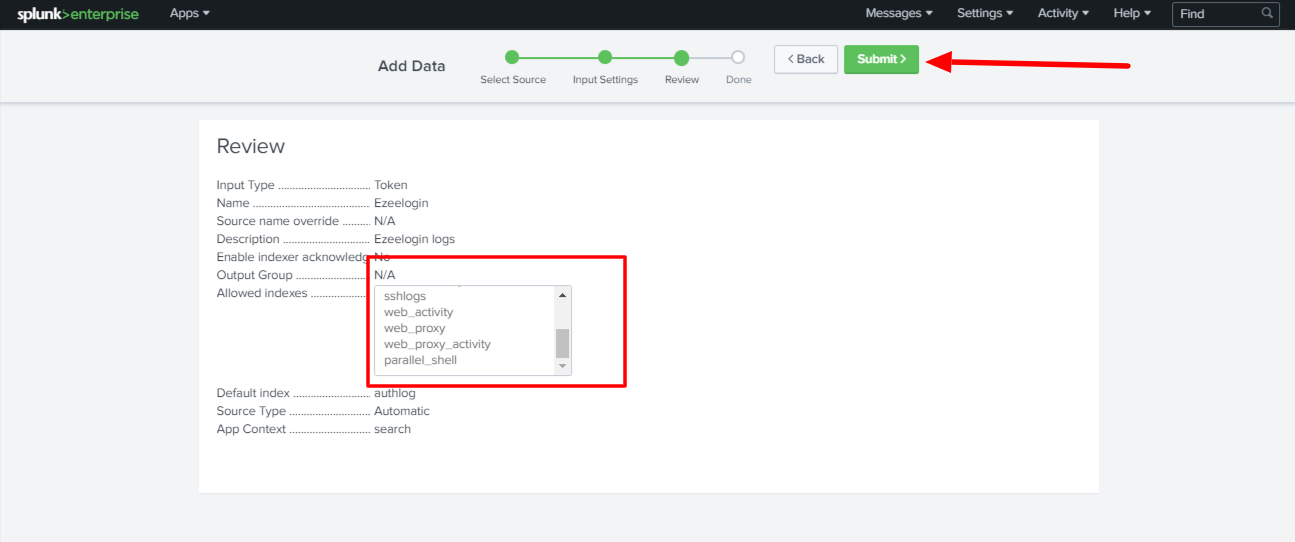
Step 3: Enter the Index Name and Save it. We need to add the following indexes for streaming Ezeelogin Logs
authlog
ezsh_activity
sshlogs
web_activity
server_activity
parallel_shell
rdplogs
web_proxy
web_proxy_activity
scplogs
Add all the above indexes one by one as follows.
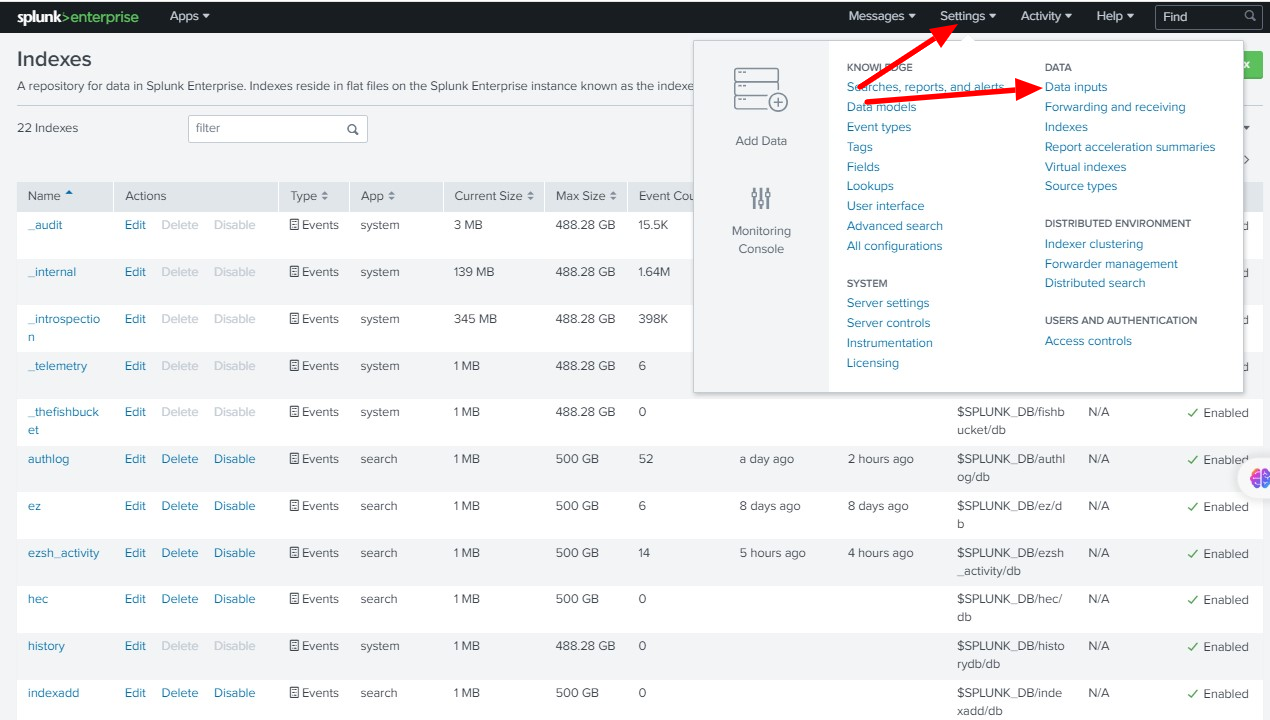
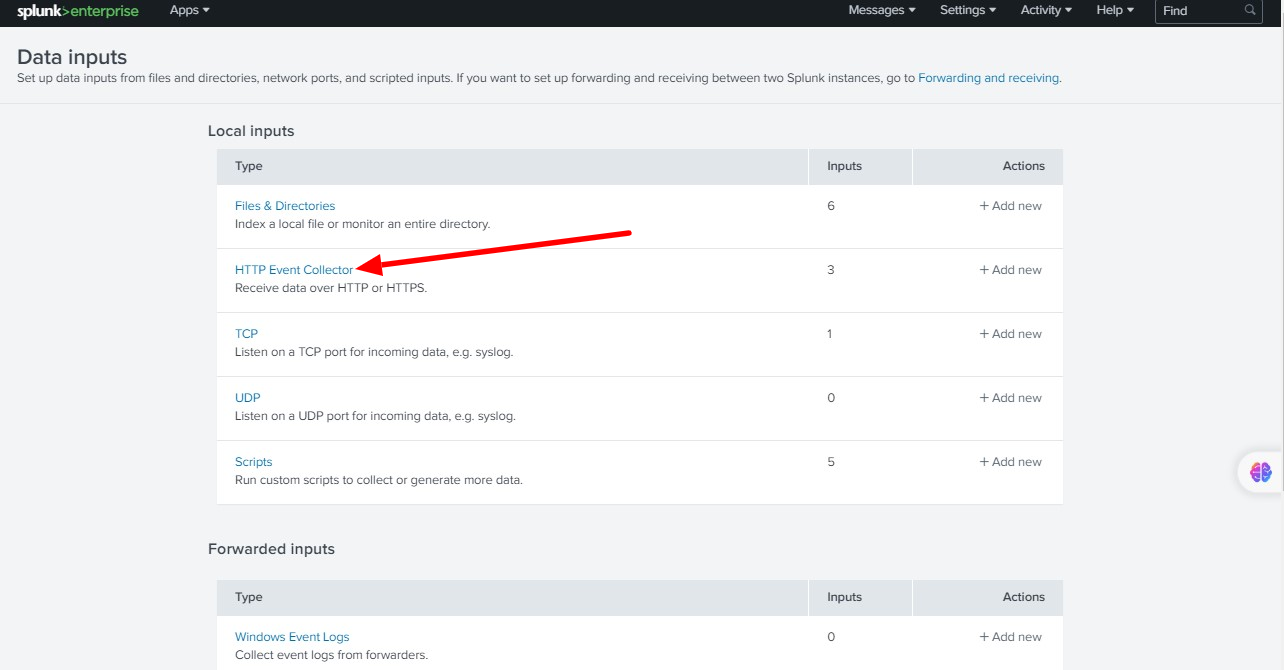
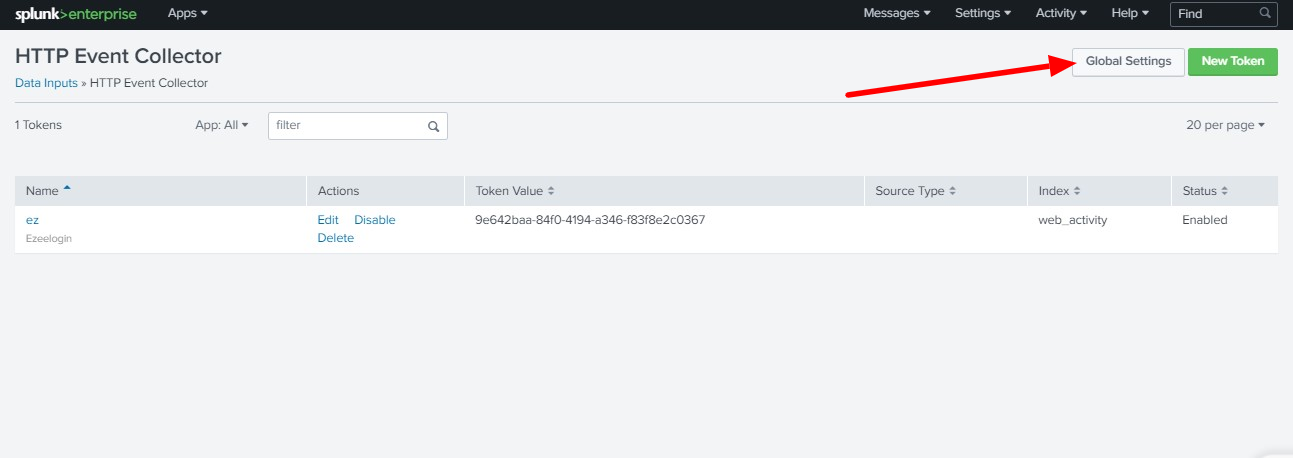
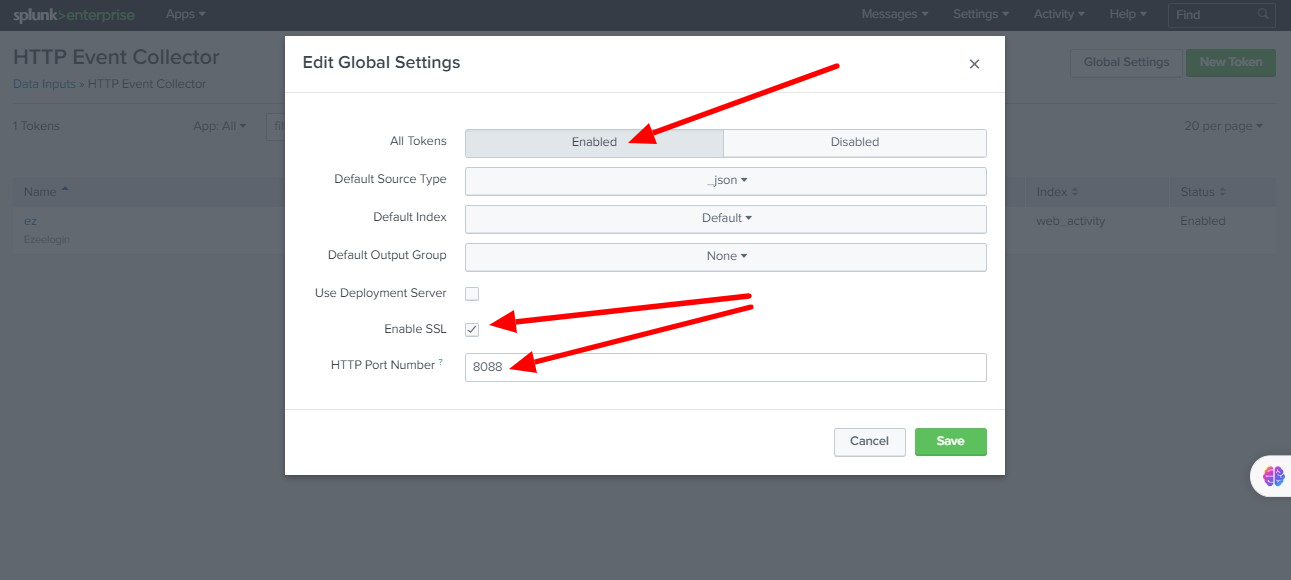
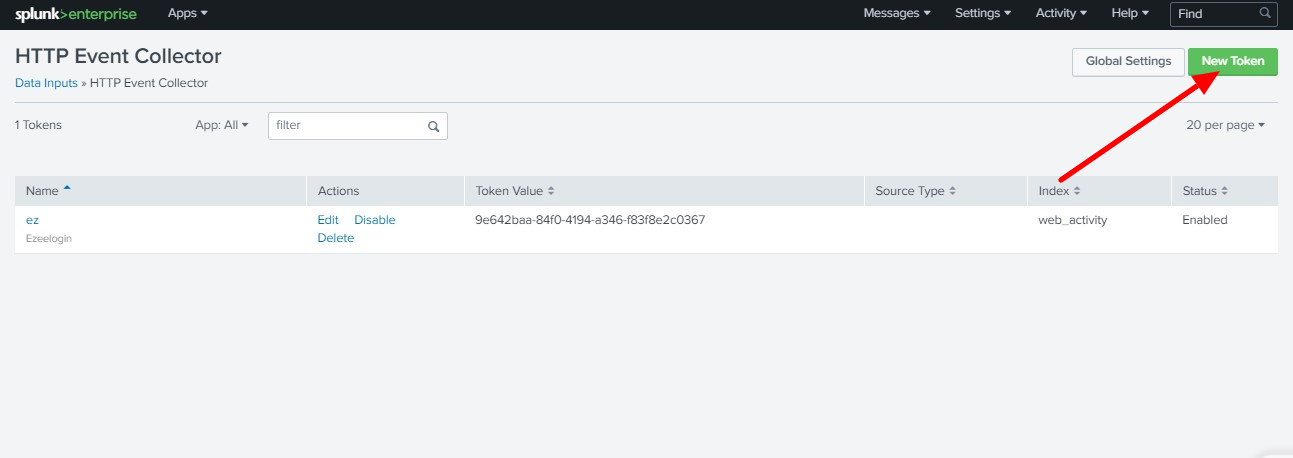
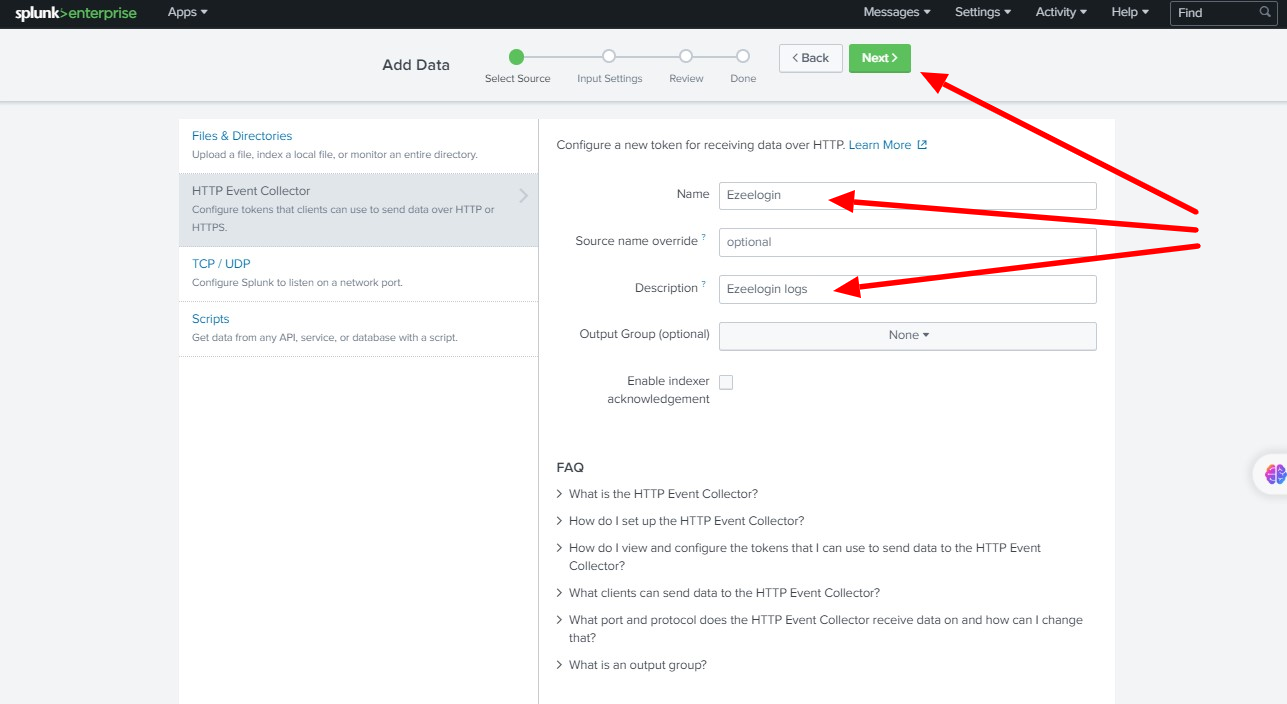
Step B: Enter Name ( Ezeelogin ) -> Description (optional) - > click Next
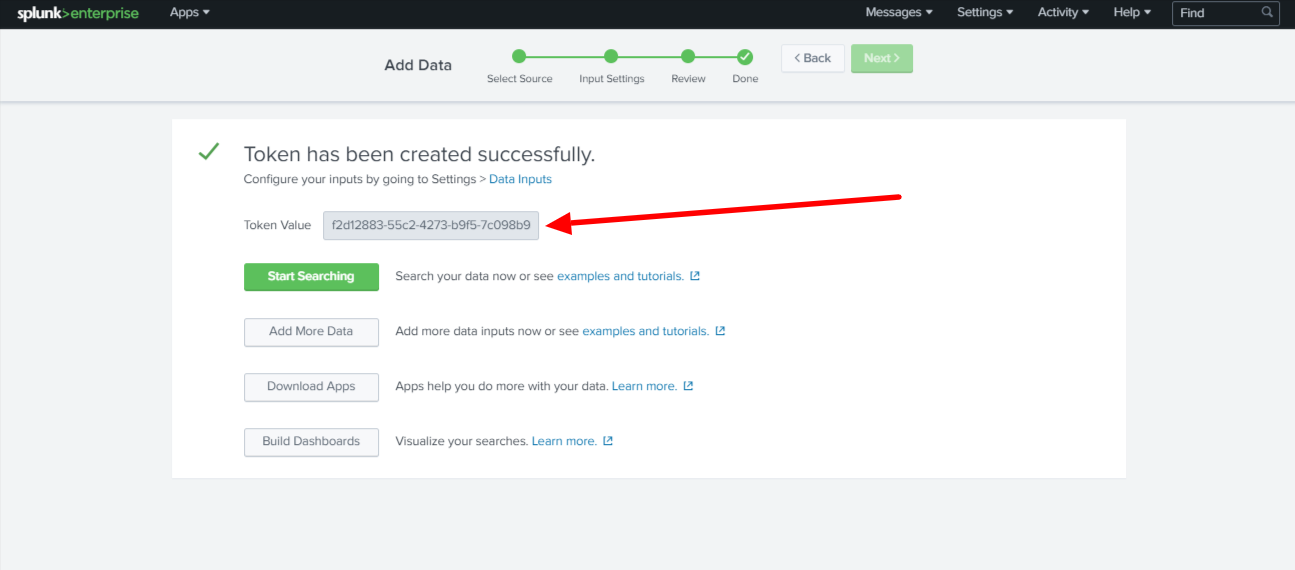
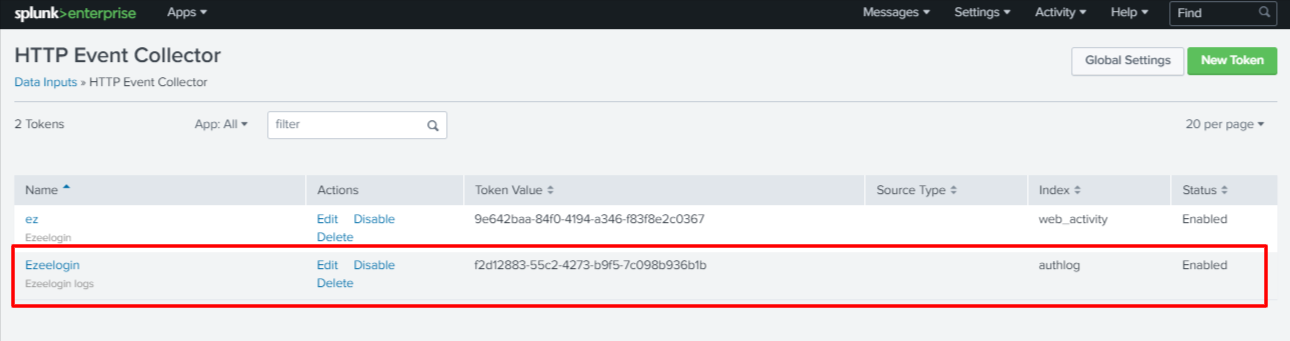
Splunk Settings
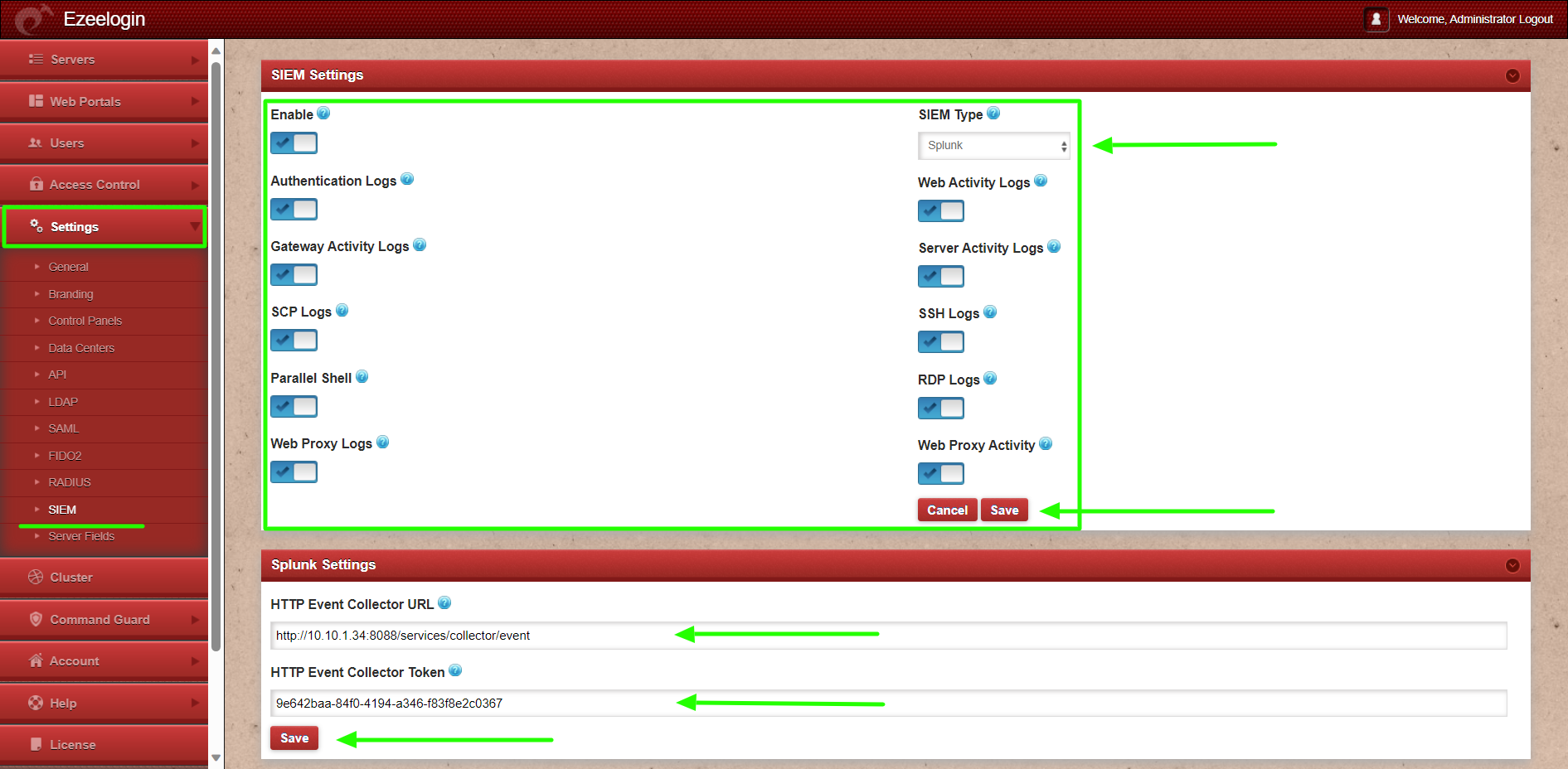
Step 6: Enable cron job for pushing Ezeelogin logs
To set up a cron job to push Ezeelogin logs from the gateway server to Splunk, schedule the job to run every minute.
Step 6.1: Open the crontab for the root user
root@gateway:~# crontab -e
Step 6.2: Append the following line to the crontab
* * * * * /usr/local/ezlogin/siem_push.php
Step 6.3: Verify the cron job. Run the following command to confirm that the cron job has been added successfully:
root@gateway:~# crontab -l
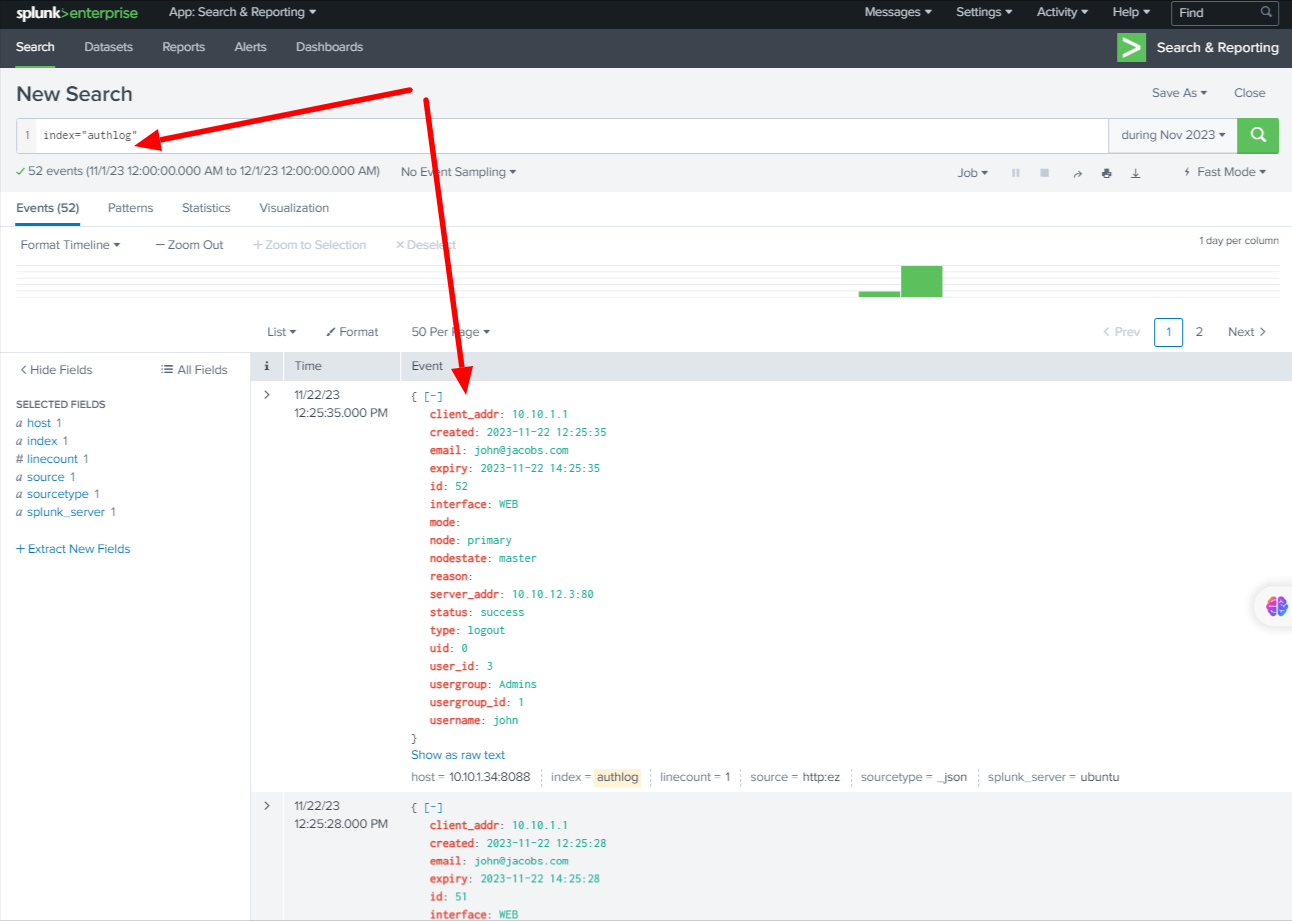
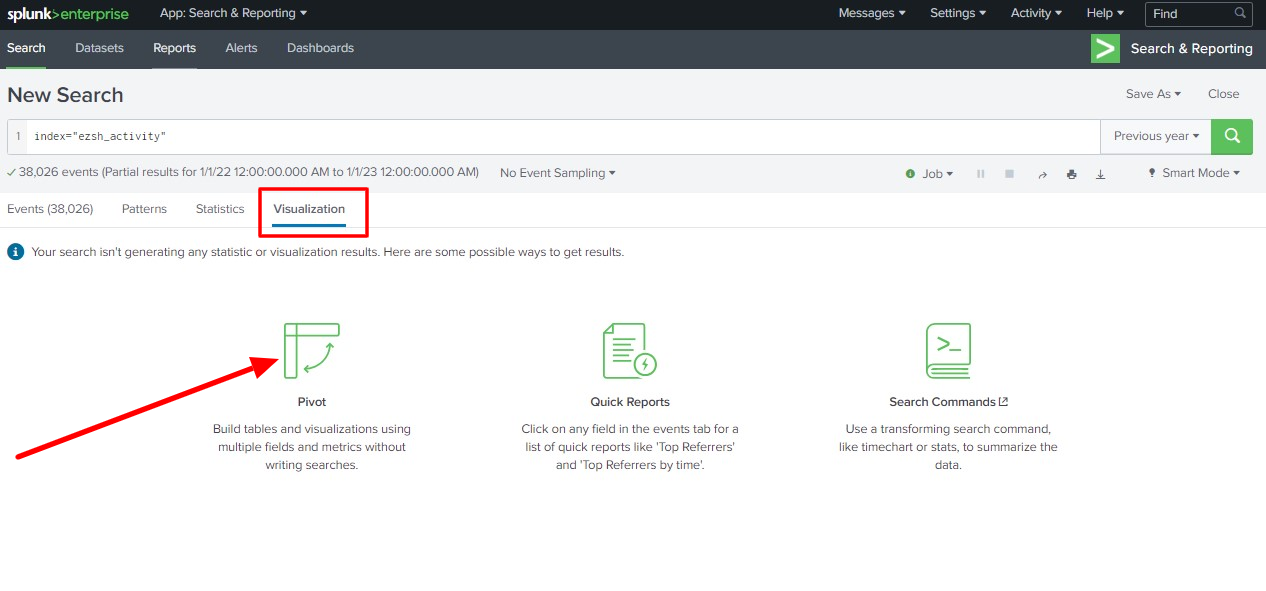
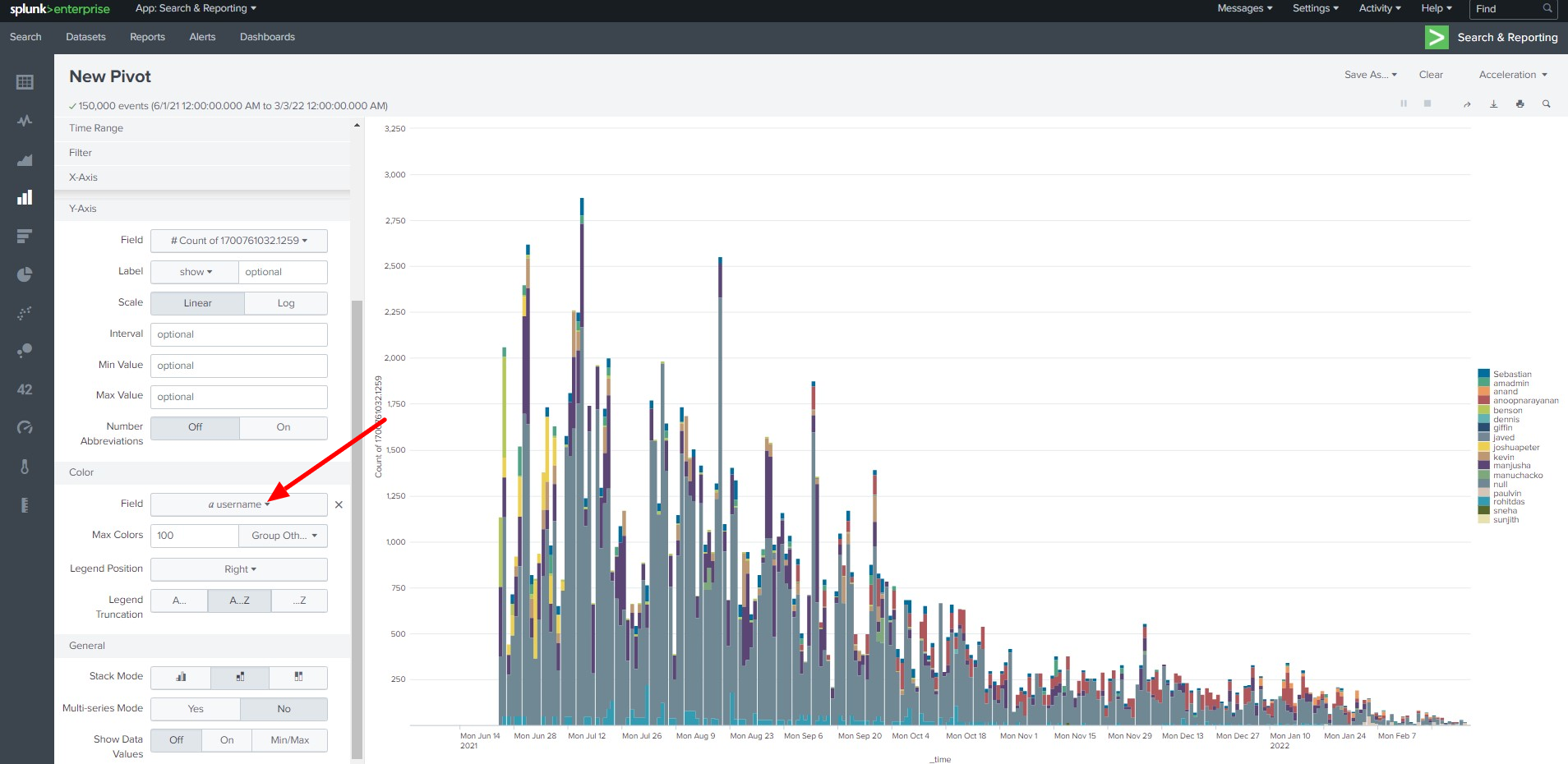
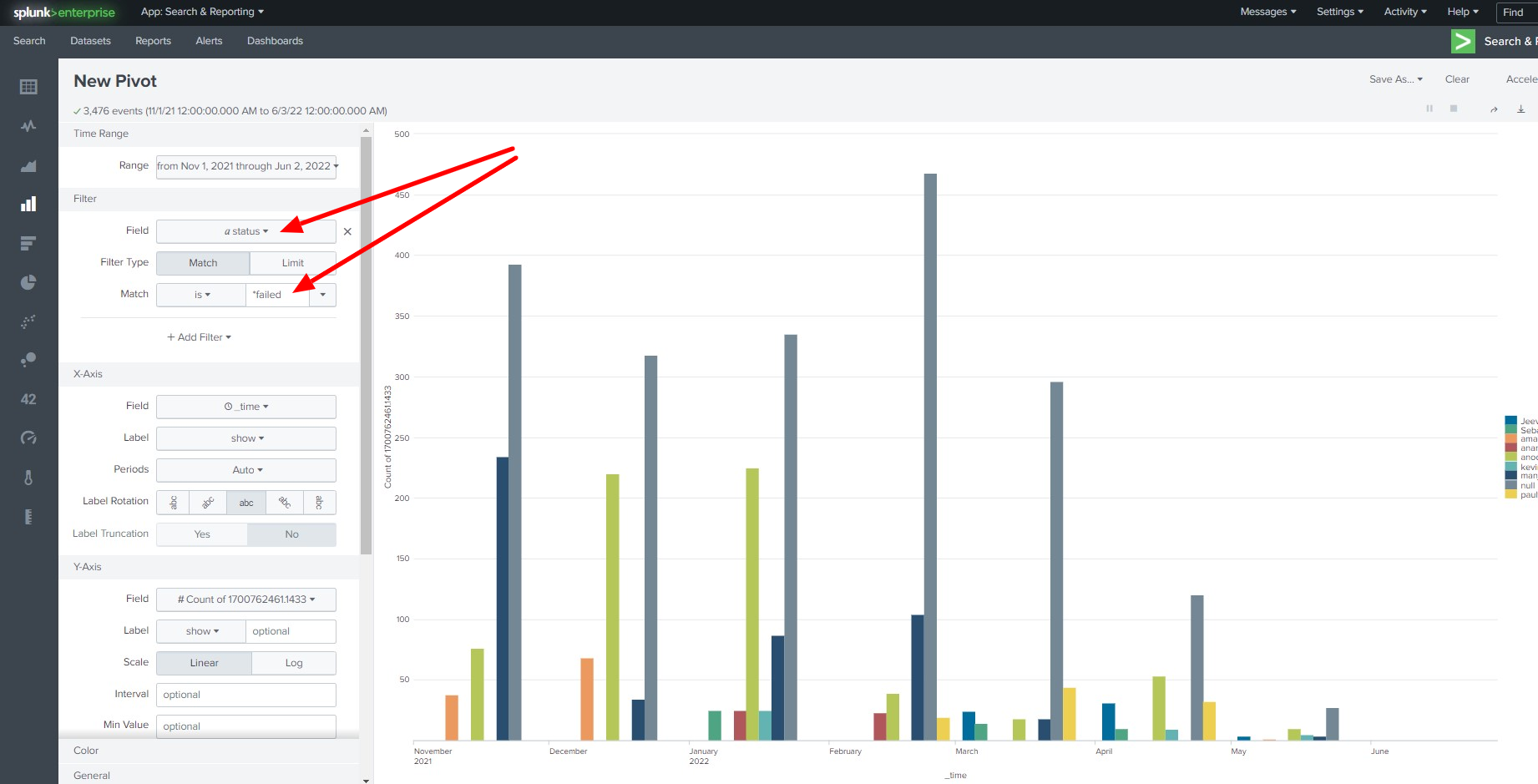
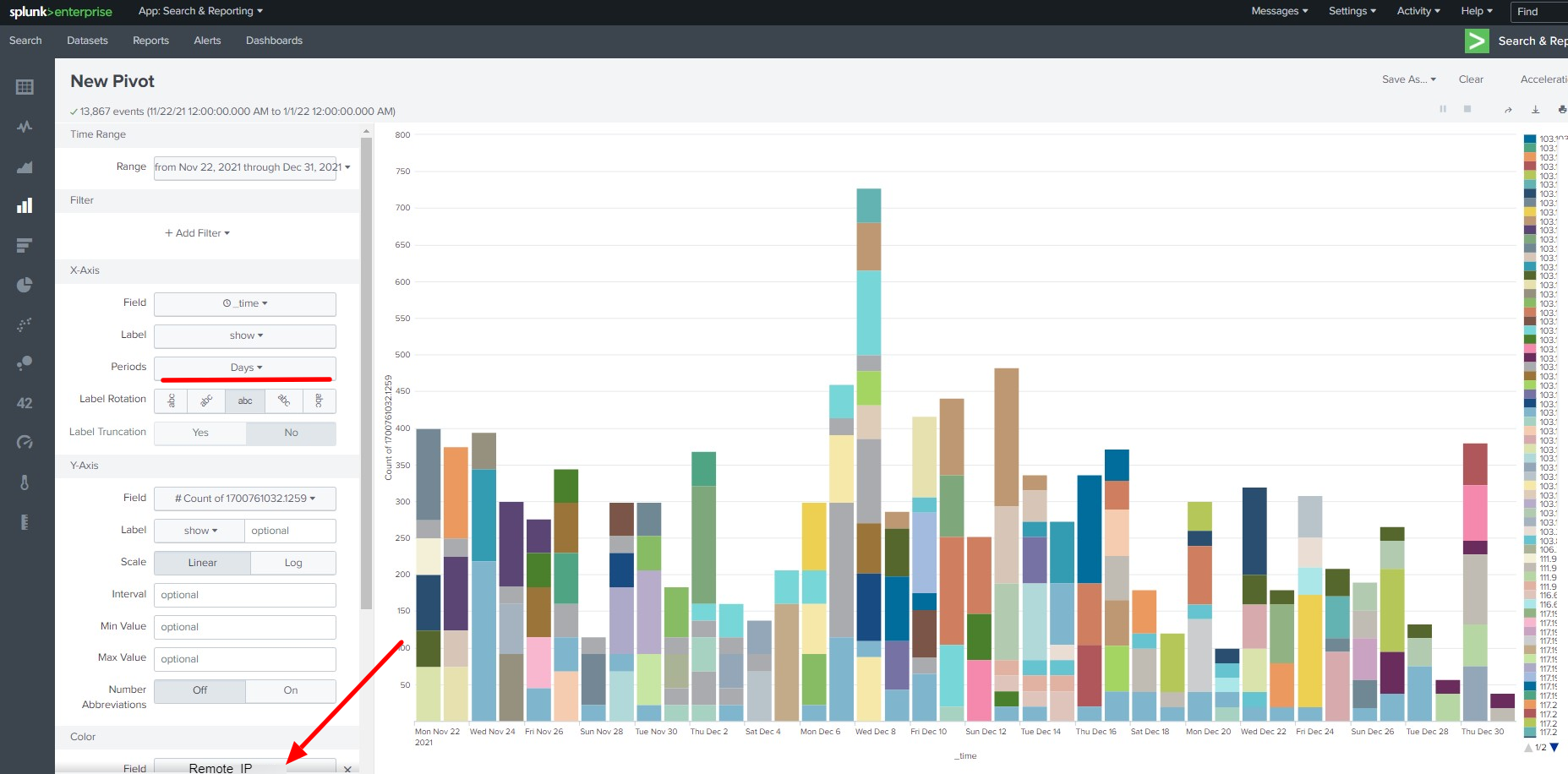
You can create different types of Visualizations from the data
- Top user access to Ezeelogin shell
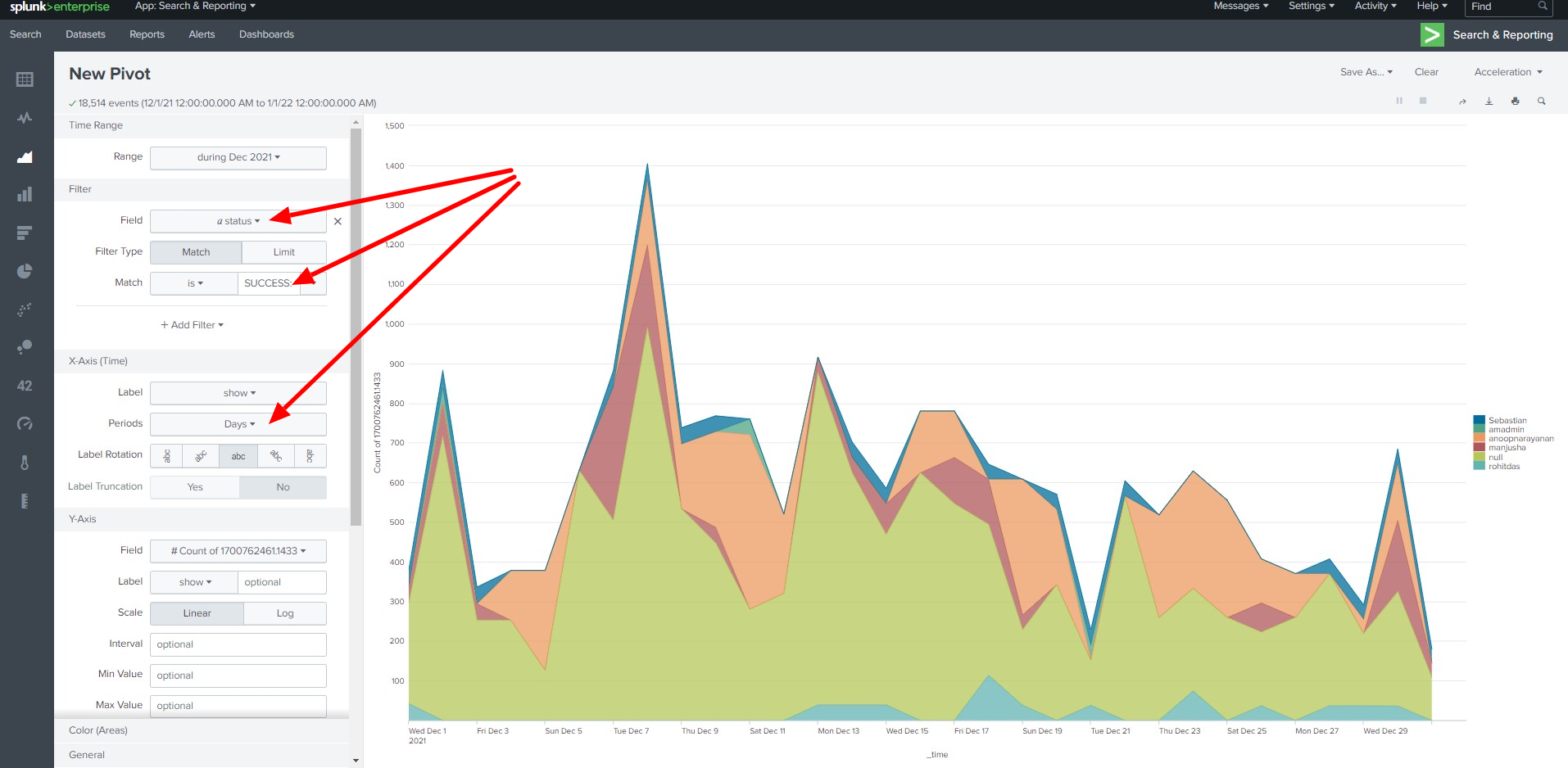
- Failed Login attempts to the Ezeelogin shell
- Top Daily access from IP address
This feature is available from Ezeelogin version 7.36.1. Refer the article to upgrade Ezeelogin version.
Related Articles: