Can we map existing user group from SAML Provider to ezeelogin as ezeelogin user group ?
Mapping Existing User Groups from SAML Provider to ezeelogin User Groups
Overview: This article explains how to map existing user groups from SAML provider to Ezeelogin user groups by creating corresponding user groups in the Ezeelogin web interface. Once configured users will be automatically assigned to the relevant groups within the Jumpserver.
Q. We have multiple groups in the SAML provider (Azure SSO/Okta SSO/Onelogin SSO/ AWS SSO etc..)for different users who have different authorization groups, so if we map these user groups via SAML will these users get access to the authorized servers?
A. Yes, it is indeed possible to map user groups from your SAML provider to ezeelogin user groups. By creating user groups in the ezeelogin web interface that correspond to the names of the groups in your SAML/SSO provider, users will be automatically assigned to the relevant groups within the Jumpserver.
Note:
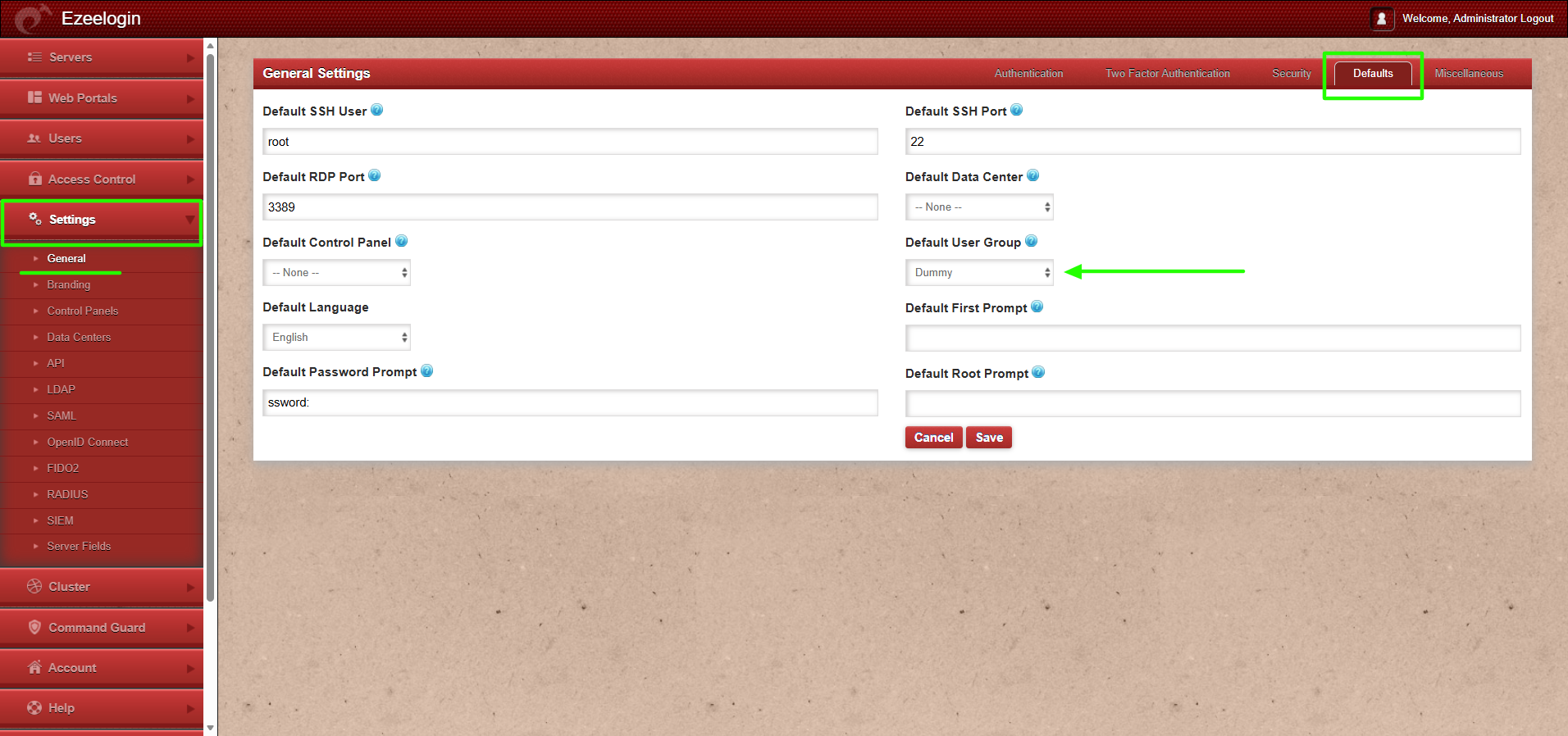
1. If users from the OIDC provider need to be auto-created in the corresponding group from OIDC to the same group in Ezeelogin, the admin user must set the default user group to None. If the same group is not present in Ezeelogin, the user will not be auto-created.
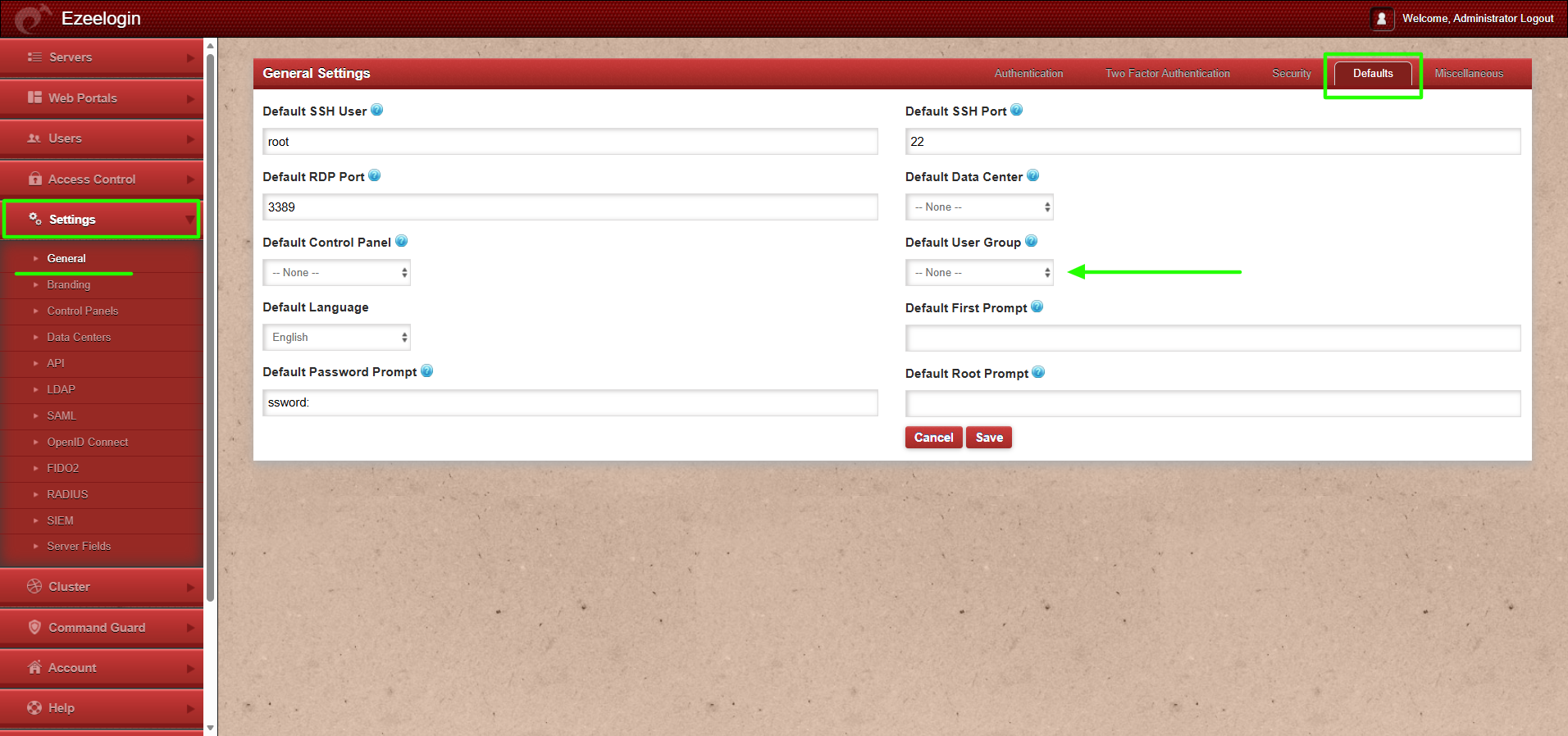
2. If the default user group is set to any group other than None, then all users from the OIDC provider will be auto-created in that same group.
This feature is available from Ezeelogin version 7.46.0. Refer article to upgrade Ezeelogin to the latest version.
Note:
User attributes (such as groups and other mapped fields) are automatically updated in the Ezeelogin GUI when a user authenticates again. If any attribute of an existing OIDC, SAML, or LDAP user is modified in the identity provider after the user has already logged in, the updated values will be reflected in the GUI only after the user logs out and logs in again.
For example, if a user is moved from one group to another in the SAML, LDAP, or OIDC provider (such as OneLogin, Okta, or JumpCloud etc..), the change will automatically be updated in the Ezeelogin GUI after the user successfully re-logs in.
This feature is available from Ezeelogin version 7.46.0. Refer article to upgrade Ezeelogin to the latest version.
1. Step-by-Step Guide to Mapping User Groups
Step 1(A): Create user groups in web GUI.
Create user groups with the same name as in SAML provider in Web GUI under Users -> User Groups. The SAML users would be automatically assigned to the same user group within Ezeelogin.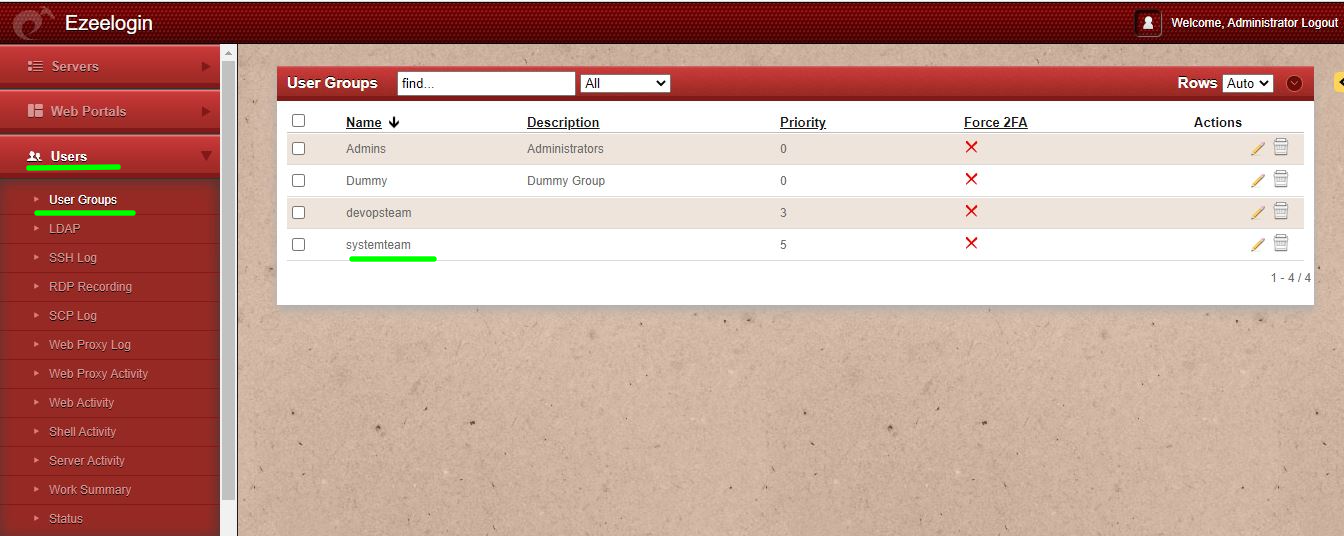
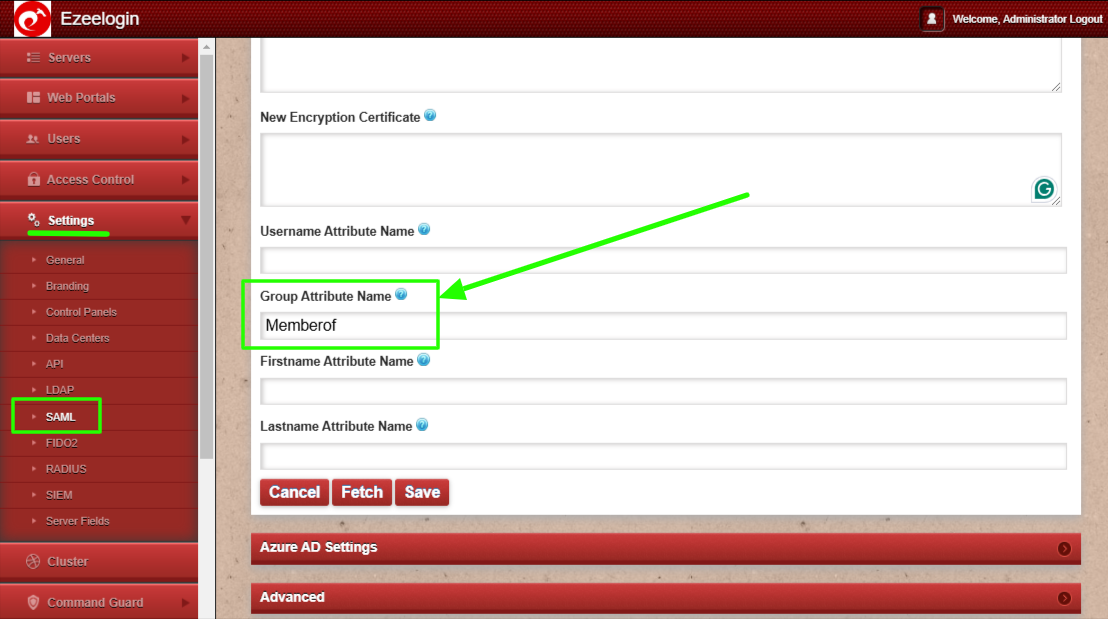
Step 1(B): Add Group Attribute name in SAML settings.
2. Manage user group priorities.
If the user in the SAML provider belongs to multiple user groups, set priority to a user group in web GUI, so that the user will be assigned to the user group having the highest priority.
Step 2(A): Edit the user group or set priority while adding user group.
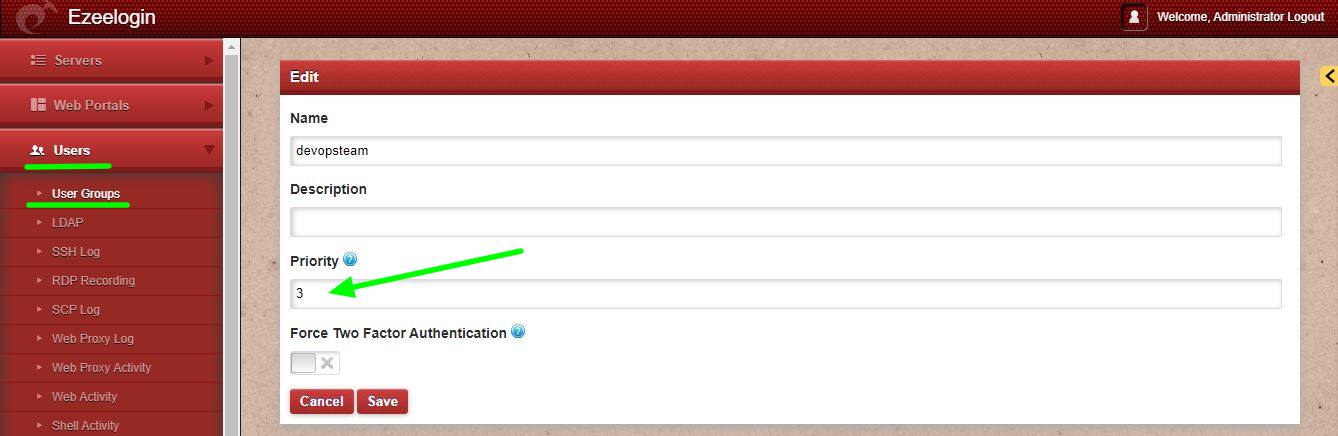
Step 2(B): Set a greater value for the highest priority. If a user exists in multiple user groups, then the user will be imported to the user group having a higher priority.
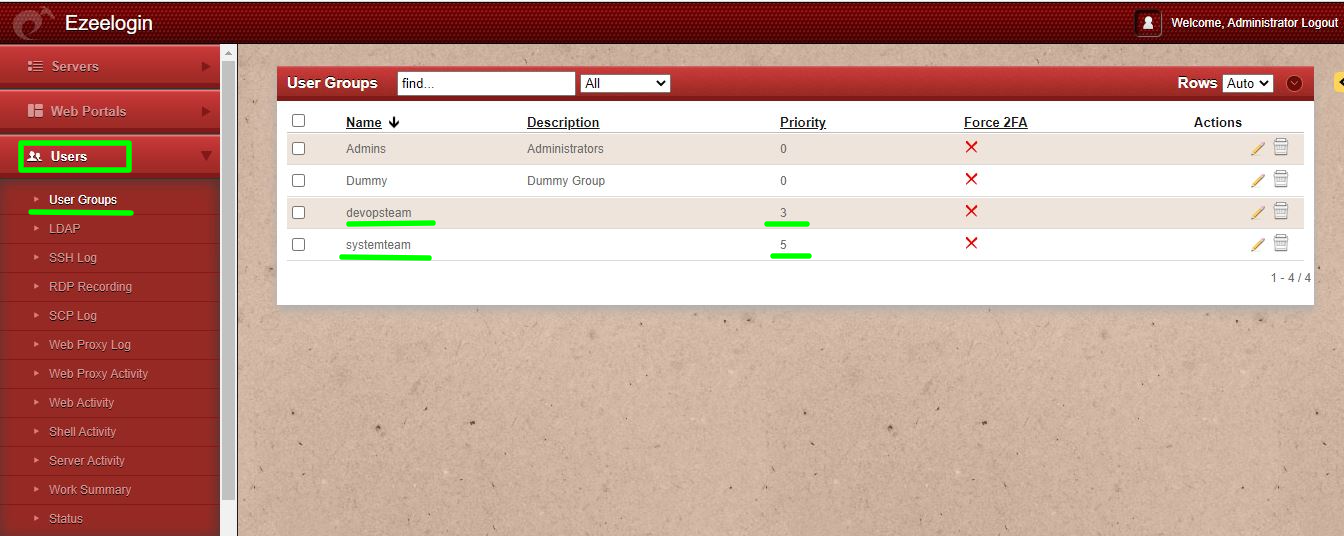
For example: Consider a user named Marc who is a member of both the devopsteam & systemteam. If systemteam is assigned a priority of 5 and devopsteam a priority of 3, Marc will be imported into the systemteam user group because it holds the higher priority.
By following these steps, organizations can effectively map user groups from their SAML providers to ezeelogin user groups. This integration not only simplifies user management but also enhances security by ensuring that users have access only to the authorized servers based on their group members.
Related Articles:
Map Okta attributes to Ezeelogin.