SSH Key rotation to remote servers
How to rotate the Ezeelogin key pair from Gateway to remote servers?
Overview: This article explains the process of manually regenerating the key by running the command to generate it, distributing the new key across remote servers via a parallel shell, and verifying changes in the Global key through the GUI.
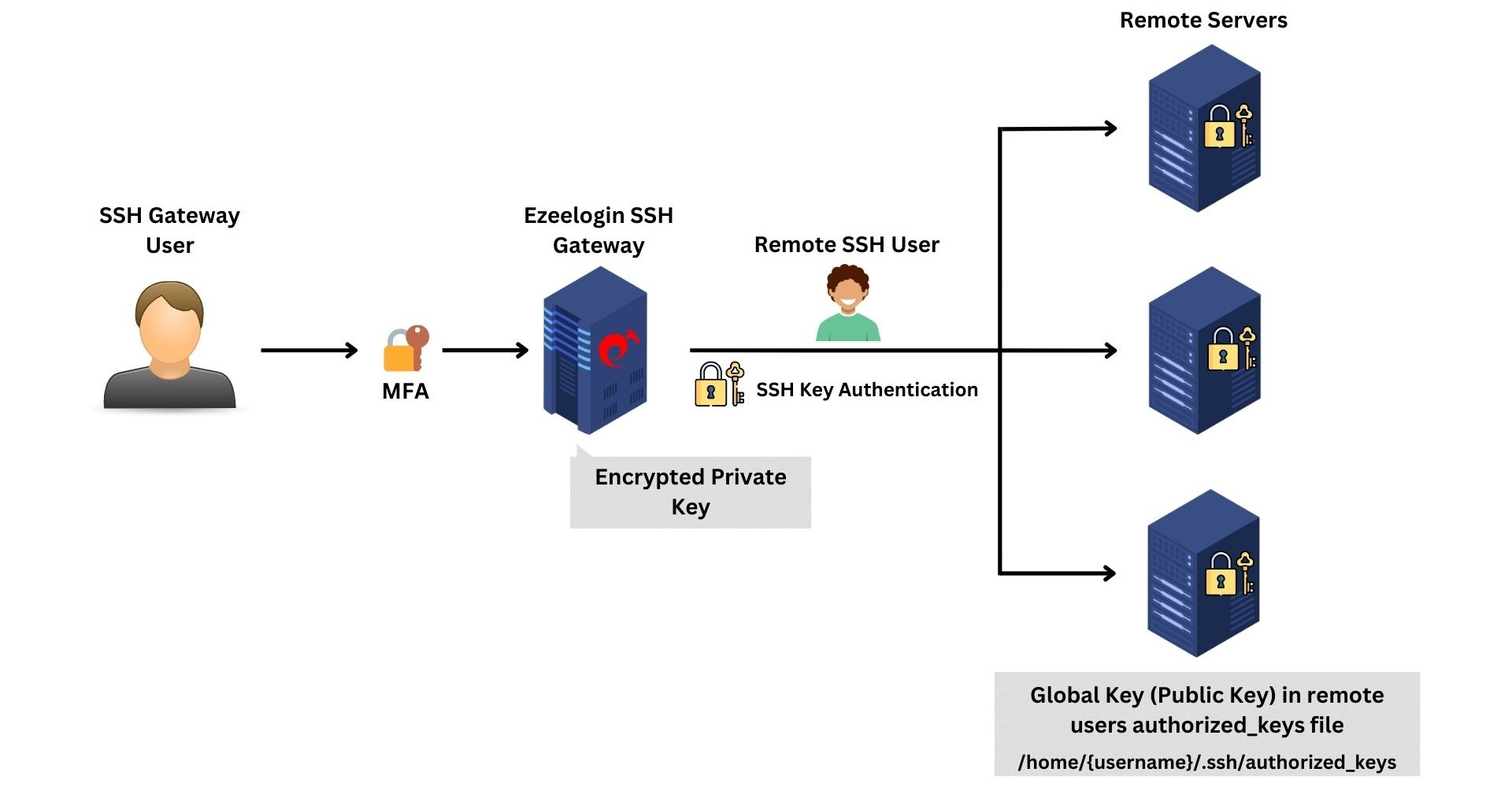
Step 1: To generate the new 4192-bit key pair in the Ezeelogin jump host installation, run the following command on the gateway server. This will reset the global key and will regenerate the ed25519 key by default.
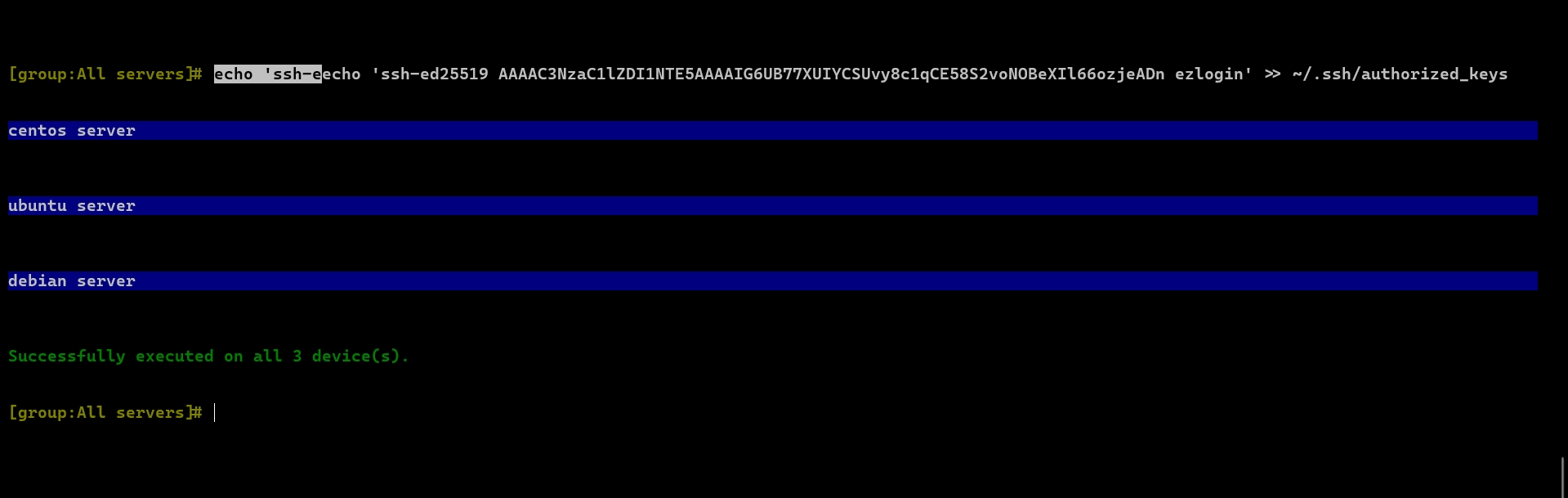
Step 2: Run the highlighted command using the parallel shell to copy the new public key to all servers. The idea would be to copy the newly generated public key to /root/.ssh/authorized_keys on the remote servers.
root@gateway:~# /usr/local/ezlogin/eztool.php -regenerate_ssh_key
_ _
___ _______ ___| | ___ __ _(_)_ __
/ _ \_ / _ \/ _ \ |/ _ \ / _` | | '_ \
| __// / __/ __/ | (_) | (_| | | | | |
\___/___\___|\___|_|\___/ \__, |_|_| |_|
|___/
#########################
# Ezeelogin Tool #
#########################
Checking environment... The memory limit is less than 4 GB. If the script crashes abruptly without any errors, try increasing the PHP memory limit.
done (2009)
Checking license... done (2258)
Enter the Ezeelogin administrator password: Nsum2[da7NXmAD)Qr7UTD$Y3r4n9
Initial MySQL character set: utf8mb4
Your current MySQL character set is: utf8mb4
Regenerate SSH key pair...
PHP Warning: unlink(/usr/local/etc/ezlogin/new_id_key): No such file or directory in /usr/local/ezlogin/eztool.php on line 1354
PHP Warning: unlink(/usr/local/etc/ezlogin/new_id_key.pub): No such file or directory in /usr/local/ezlogin/eztool.php on line 1355
- New SSH key pair generated. Execute the following command on all remote servers using parallel shell feature to add the new public key in authorized keys:
echo 'ssh-ed25519 AAAAC3NzaC1lZDI1NTE5AAAAIHfn5fNRdOUG5+RfFm9uoZGkGkppbb94d3jCNU4Q50p1 ezlogin' >> ~/.ssh/authorized_keys
Note:
Execute the above command on all remote servers using the parallel shell feature to add the new public key in authorized keys and Wait for the parallel shell execution to complete before pressing any key to return to the command line
After it is done, press enter key to continue...
#######################################
New SSH key pair has been set up.
#######################################
TODO NOTES:
Copy the new SSH key pair to the other node (192.168.56.103).
Command: scp -P <gateway_SSH_port> /usr/local/etc/ezlogin/id_key /usr/local/etc/ezlogin/id_key.pub root@192.168.56.103:/usr/local/etc/ezlogin/
After it is done, press enter key to continue...
Step 3: Wait for the parallel shell execution to complete before pressing any key to return to the command line. This will ensure that the new public_key is copied across all servers.
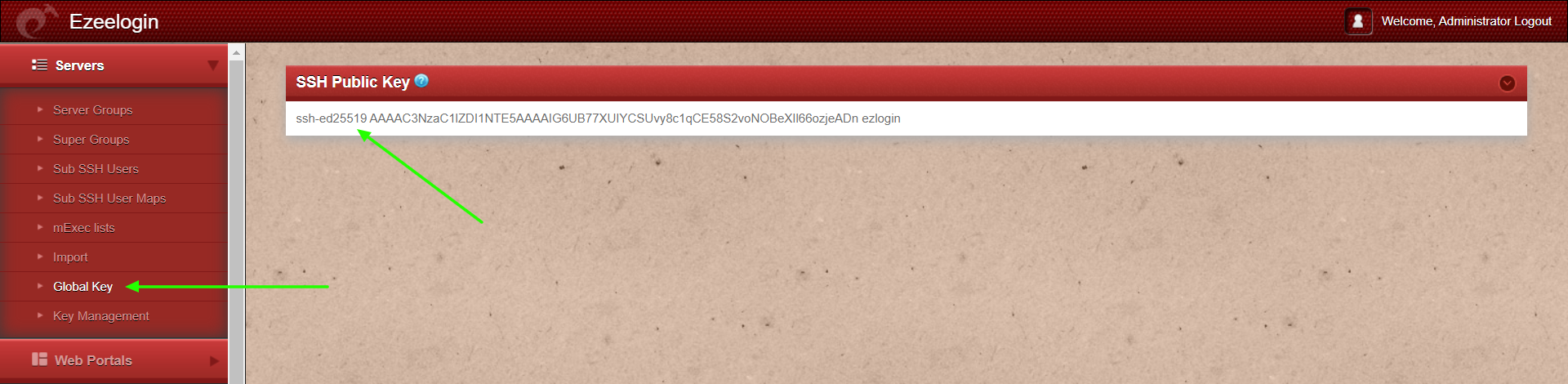
Step 4: The user can view the updated global key from GUI under Servers -> Global key
Step 4(A): The user can also view the updated global key from CLI. Run the below command on the gateway server.
root@gateway:~# cat /usr/local/etc/ezlogin/id_key.pub
ssh-ed25519 AAAAC3NzaC1lZDI1NTE5AAAAIG6UB77XUIYCSUvy8c1qCE58S2voNOBeXIl66ozjeADn ezlogin
Step 5(A): If you have a cluster setup, the keys are not automatically synced to the slave Ezeelogin server and must be manually copied to the slave node.
Step 5(B): Run the command below to copy the keys (id_key and id_key.pub) to the slave server.
root@gateway_server:~# scp -P <gateway_SSH_port> /usr/local/etc/ezlogin/id_key /usr/local/etc/ezlogin/id_key.pub root@other_node_ip:/usr/local/etc/ezlogin/
Example:
root@gateway_server:~# scp -P <gateway_SSH_port> /usr/local/etc/ezlogin/id_key /usr/local/etc/ezlogin/id_key.pub root@192.168.56.103:/usr/local/etc/ezlogin/
How to regenerate a global key pair with a specific key type?
Step 1: Refer help option for regenerating the global key pair. Run below command on the gateway server to view the help menu.
root@gateway:~# /usr/local/ezlogin/eztool.php -- -help
-regenerate_ssh_key : Regenerate Global SSH key
-ssh_key_type : Global SSH key type (ed25519, ecdsa, dsa, rsa) for SSH to remote devices. Note: All remote machines should support this key type. (only for -regenerate_ssh_key)
Step 2: Run the below command on the gateway server and replace the key type to generate a global key pair with the mentioned key type.
Note:
The global key now supports ed25519, ecdsa, DSA, and RSA key types starting from Ezeelogin version 7.37.8.
Refer to the article to upgrade to the latest version.
- The generated private key would be encrypted and cannot be retrieved.
- The maximum supported private key size would be 4192 bits.
Related Articles:
How do cluster keys in the Ezeelogin Master-slave Configuration be reset?