Suspend and terminate gateway user session
1. How to suspend and terminate ezsh and gui sessions of an Ezeelogin gateway user using the API?
Overview: This article explains how to suspend a user account and terminate its frontend (GUI) and backend (ezsh) sessions using the API. When the suspend script is executed, it will immediately terminate the user's ongoing ezsh and GUI sessions and suspend the account. To unsuspend the user, an admin must run the unsuspend API script or perform the action from the GUI. Refer detailed article for API.
Enable API from GUI. Navigate to Setting -> API -> enable API.
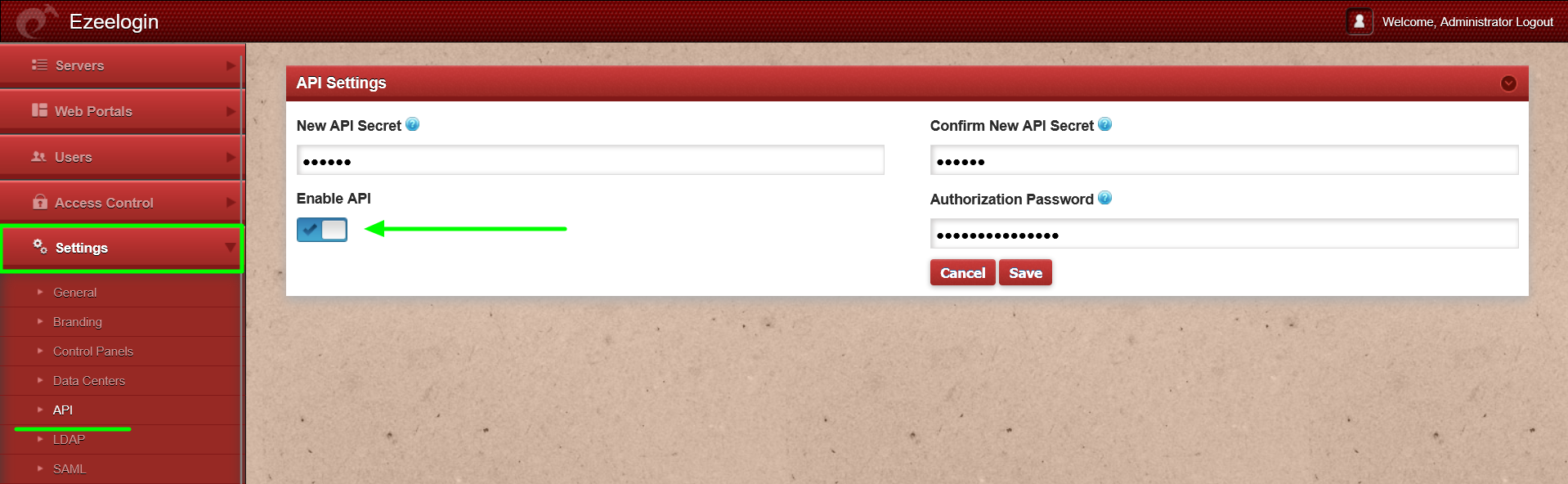
Method 1: From the GUI
Step 1: Log in to the GUI.
Step 2: Select the user and click Edit.
Step 3: Select the status as 'Suspended'.
Step 4: Enter the authorized password (the password of the currently logged-in user) and click Save.
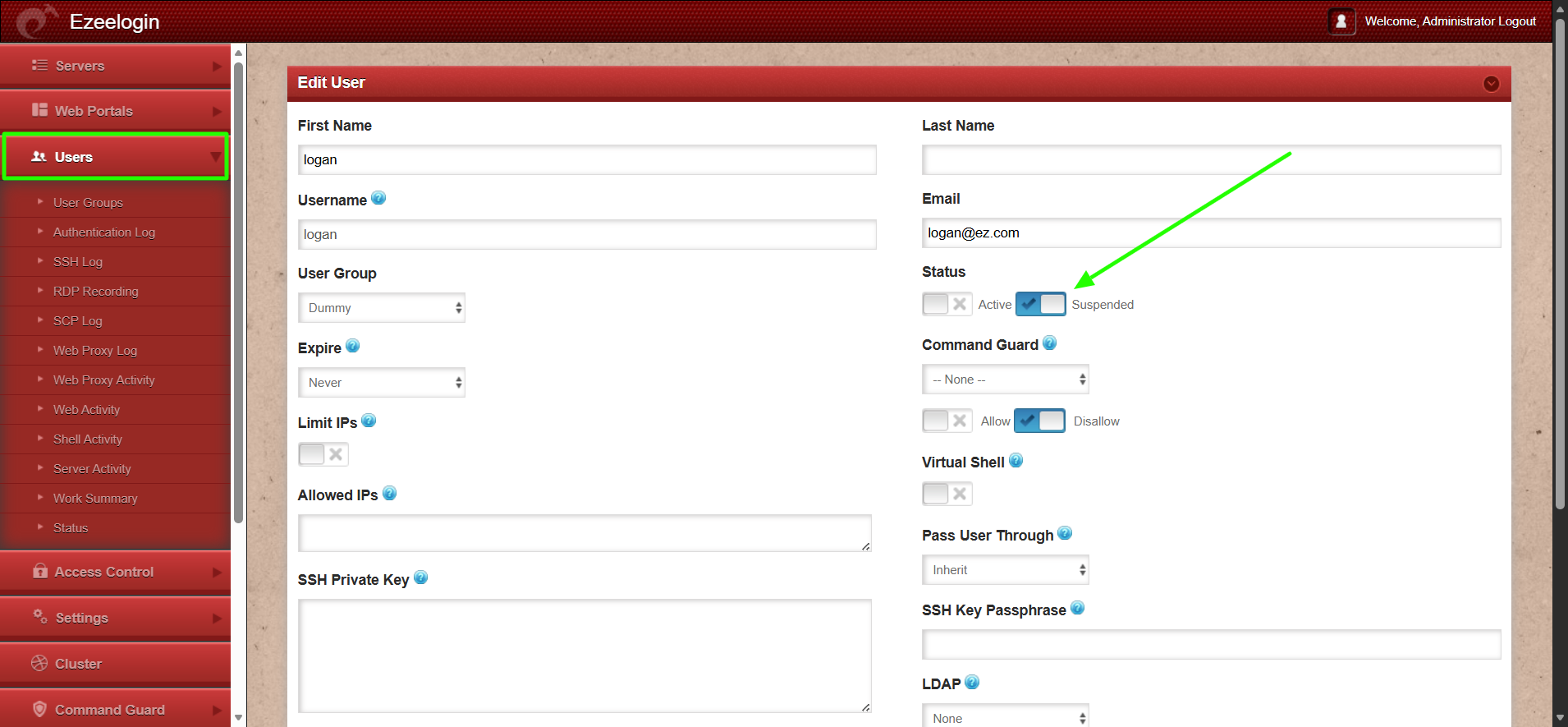
Method 2: From the CLI
Login to gateway sever and execute API script to terminate sessions and suspend the user.
root@gateway:~# php /usr/local/ezlogin/ezwapi.php suspend_user -api_url http://gateway/ezlogin -secret xxxxxx -user {username}
200: {"status":"success","data":"Success"}

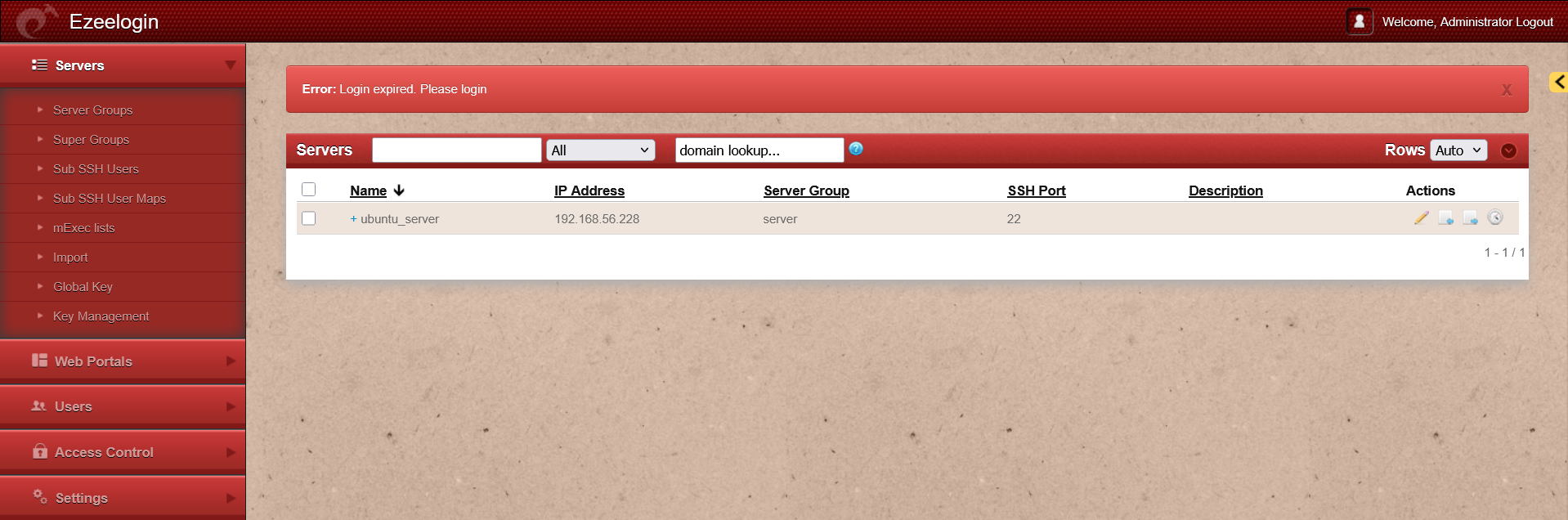
2. How to unsuspend the Ezeelogin gateway user account?
Method 1: From the GUI
Step 1: Log in to the GUI.
Step 2: Select the user and click Edit.
Step 3: Select the status as 'Active'.
Step 4: Enter the authorized password (the password of the currently logged-in user) and click Save.
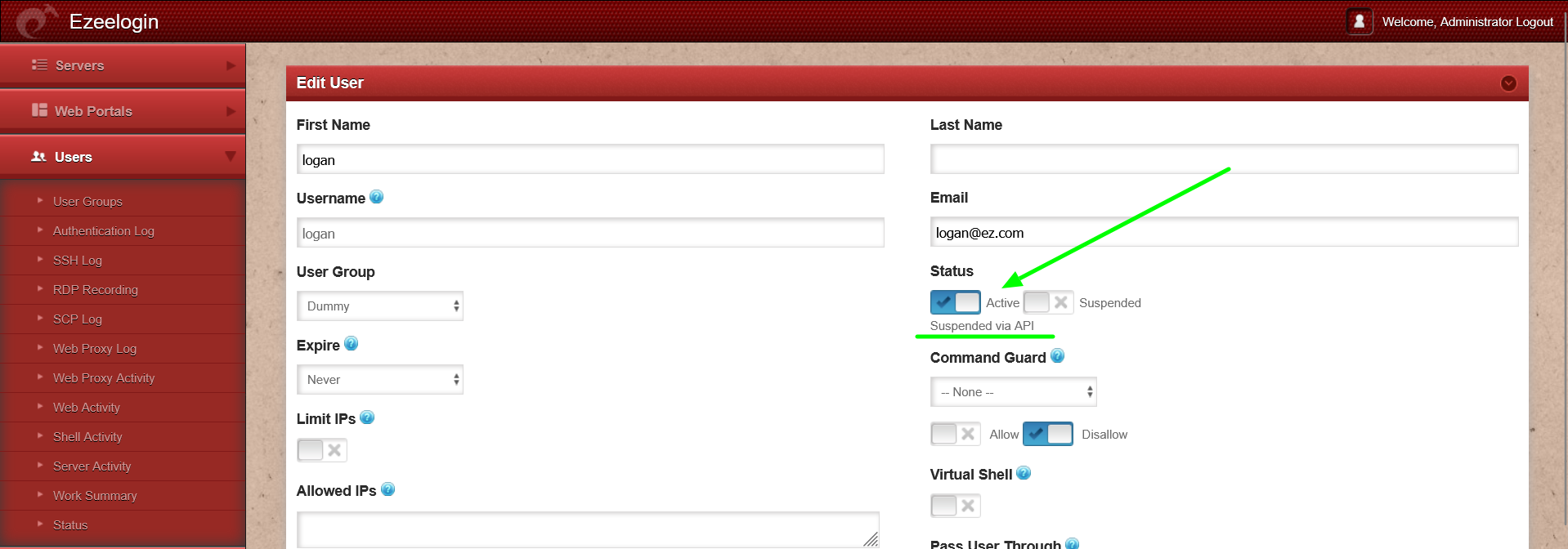
Method 2: From the CLI
Run the unsuspend API script on gateway server.
root@gateway:~# php /usr/local/ezlogin/ezwapi.php unsuspend_user -api_url http://gateway/ezlogin -secret xxxxxx -user {username}
200: {"status":"success","data":"Success"}
3. Auditing API-based User Suspension and Unsuspension Actions
By default, the user who created the API secret cannot be viewed. However, if Detailed Audit Log was enabled in the settings earlier, you will be able to see which user created the API secret.
To view the logs, navigate to Users -> Web Activity -> User-All -> Section-Settings -> Find.
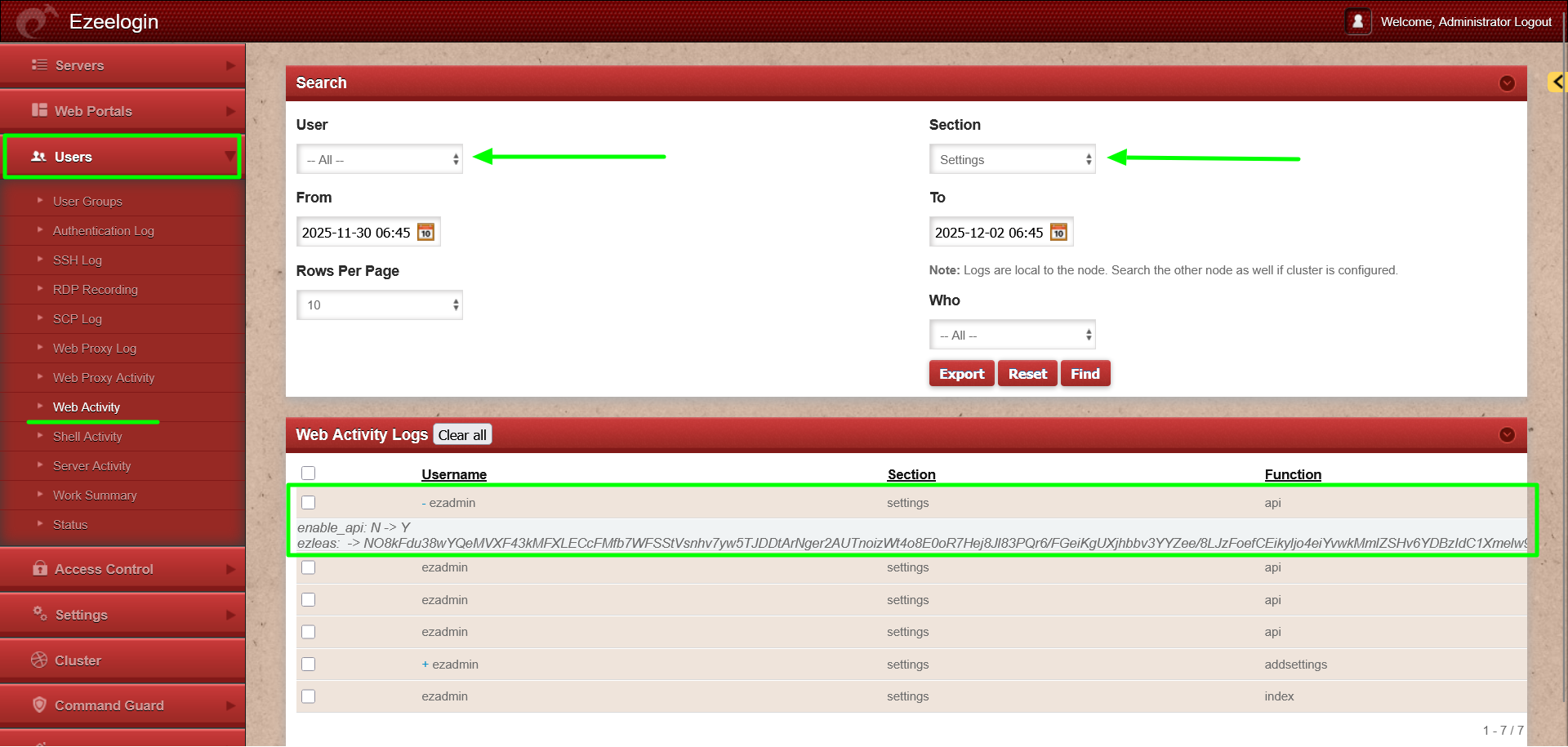
The above screenshot shows that the API secret was enabled by the user 'ezadmin'.
4. How to view the log of API based user suspend/unsuspend actions?
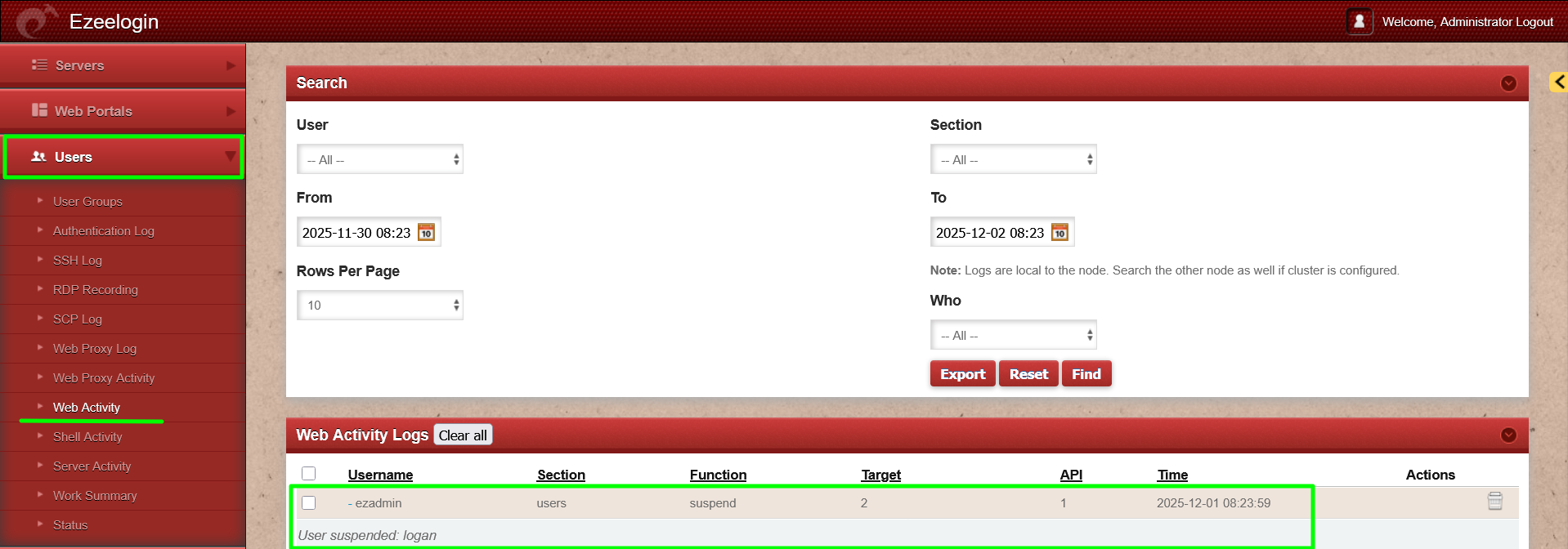
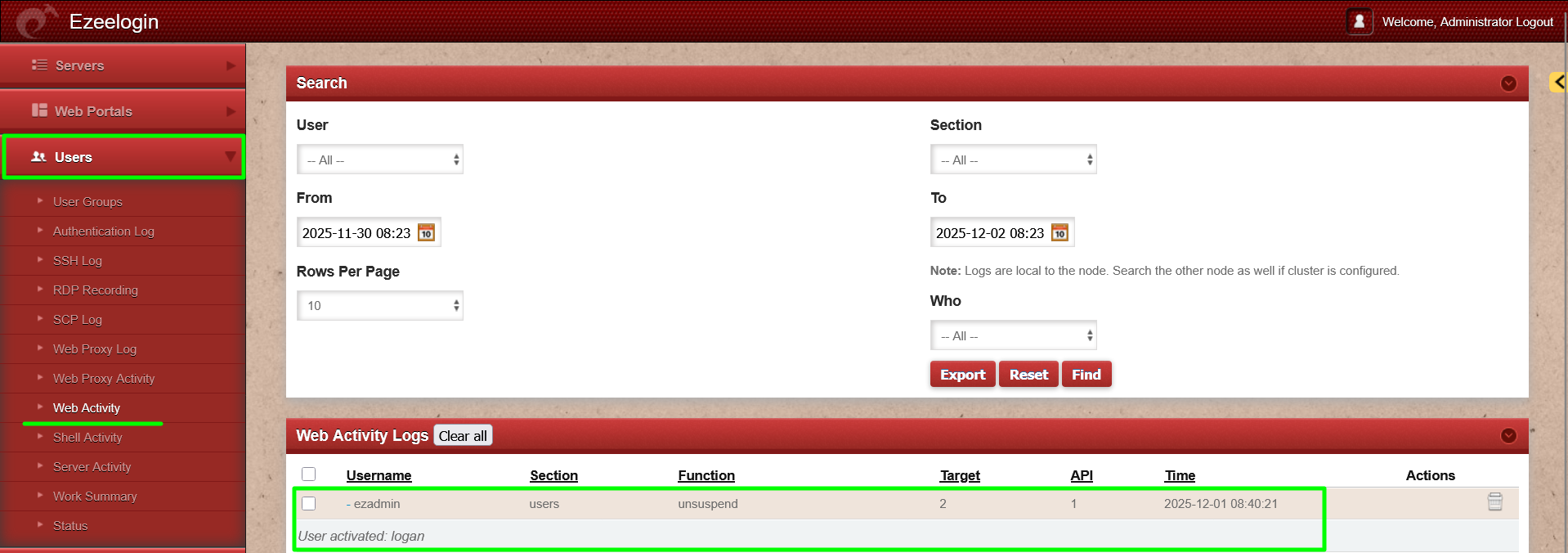
Step 4.2: The screenshot below shows the logs for unsuspending a user via the API.
Related Articles:
Managing users in Ezeelogin via API