Adding PHPIPAM as webportal
How to add PHPIPAM as webportal in Ezeelogin?
Overview: This article explains how to integrate PHPIPAM as a web portal in Ezeelogin. It provides instructions for adding PHPIPAM to the Ezeelogin web portal and configuring autologin settings.
Note: This feature requires Ezeelogin 7.48.1 or later. Not sure which version you have? Check it in the Ezeelogin UI. If you’re on an earlier release, upgrade Ezeelogin first.
Note: Make sure web portal proxy is configured in Ezeelogin. Refer below detailed article: Setup web portal proxy in Ezeelogin
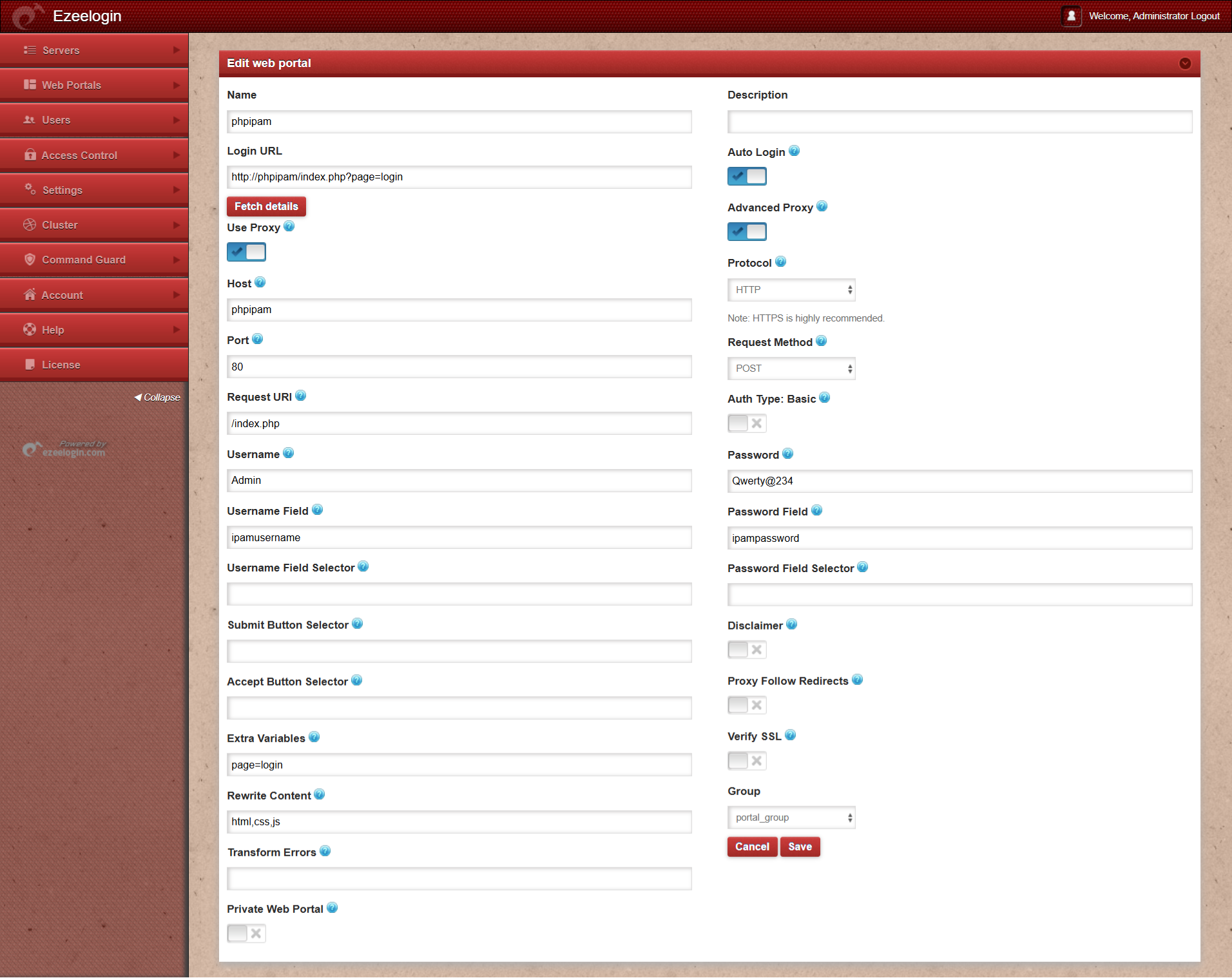
1. Refer to the PHPIPAM portal settings below and ensure that all fields are filled in as shown in the reference screenshot.
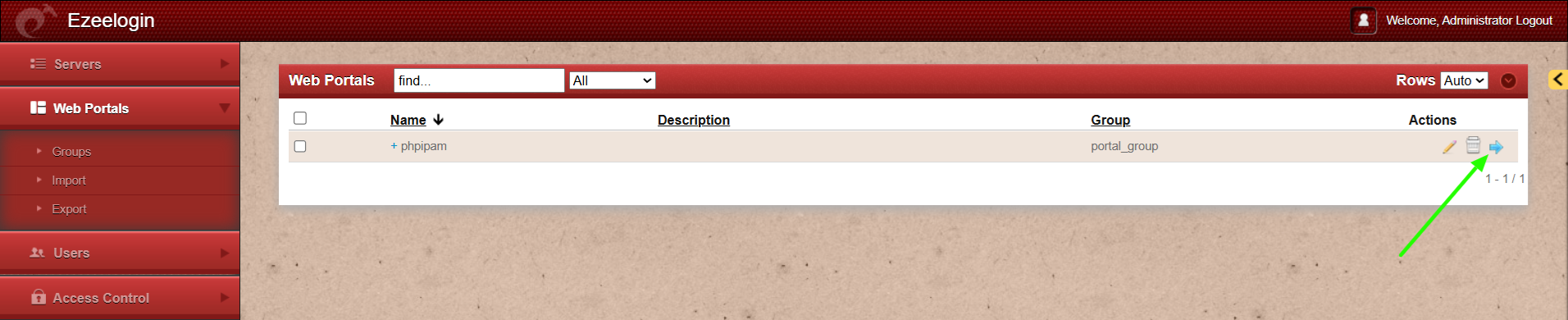
2. Click on the login icon to auto-login to portal
Related Articles: