Error while taking ezlogin backup
How to Fix Ezeelogin Backup Errors Caused by Large Log File Sizes
Overview: This article explains how to resolve an error that may occur while taking an Ezeelogin backup, which is caused by a large log file size.
While performing a backup, the Ezeelogin backup script may encounter an error:
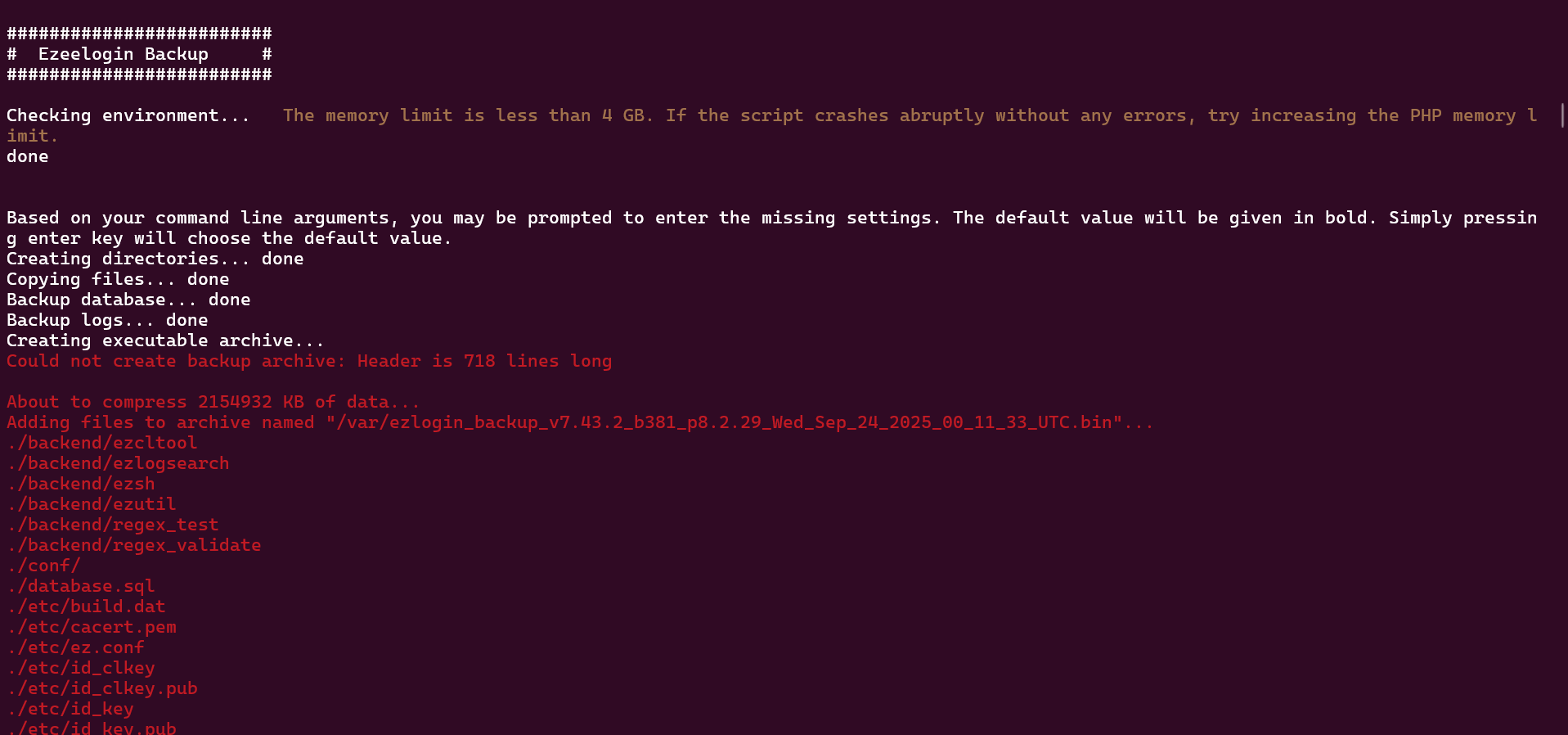
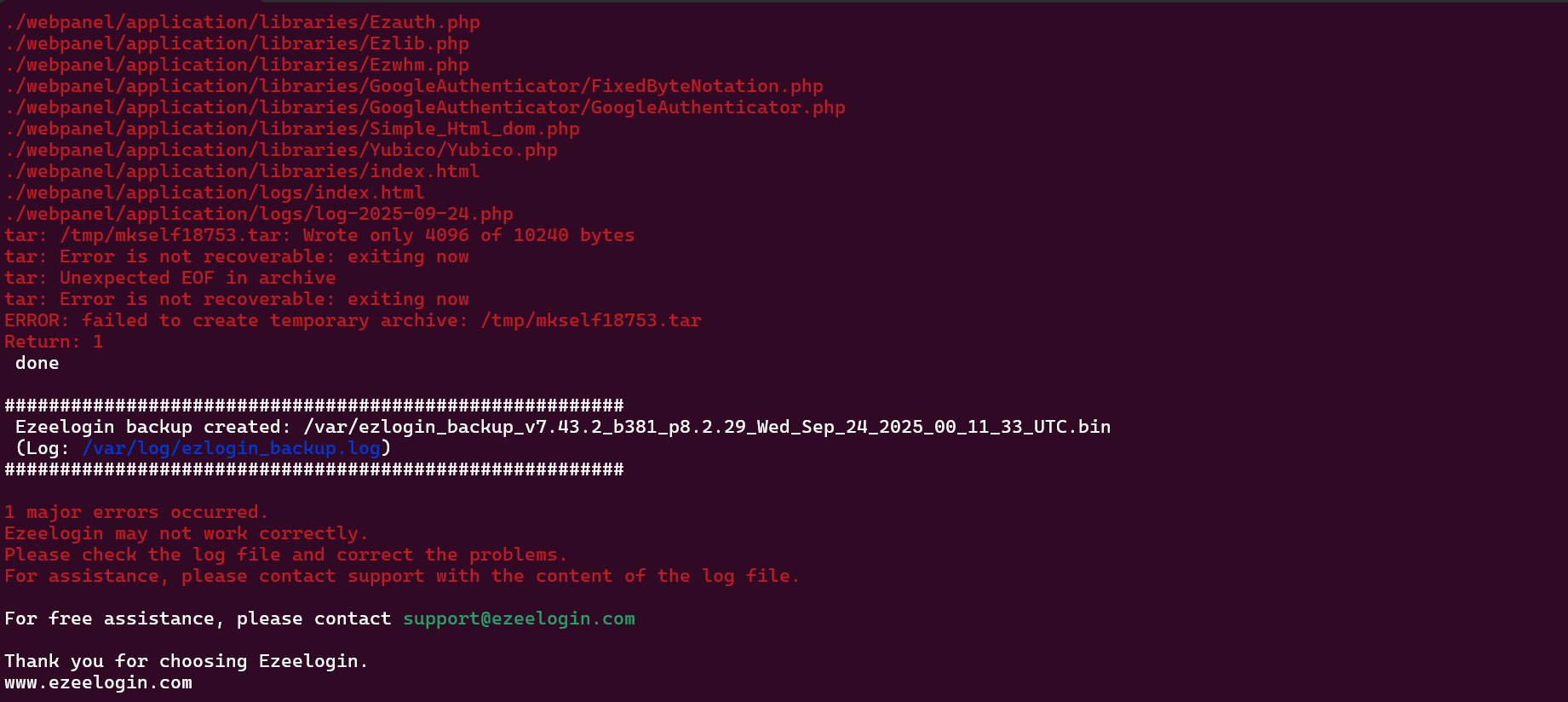
During the backup process, if the error "Could not create backup archive" occurs, it indicates that the Ezeelogin log files have grown significantly in size. An error similar to the one shown in the screenshot may appear while running the backup script /usr/local/sbin/backup_ezlogin.php. The trace setting generates detailed debugging information, which significantly increases the size of the log files over time. As a result, the backup script may fail or produce errors while attempting to include these large log files in the backup archive.
.
Steps to fix the issue:
Step 1. Check the size of the logs inside the directory
root@gateway: du -sh /var/www/ezlogin/application/logs
Example: root@gateway:/var/www/ezlogin/application# du -sh /var/www/ezlogin/application/logs
8.1G /var/www/ezlogin/application/logs
Step 2. Delete the unnecessary logs file to free up space.
root@gateway: rm -f /var/www/ezlogin/application/logs/*
Example:
root@gateway:/var/www/ezlogin/application/logs# ls
index.html log-2025-09-11.php log-2025-09-12.php log-2025-09-13.php log-2025-09-15.php log-2024-09-11.php log-2024-09-12.php log-2024-09-13.php log-2024-09-15.php log-2024-09-14.php
root@gateway:/var/www/ezlogin/application/logs#
root@gateway:/var/www/ezlogin/application/logs# rm -f log-2024*
Step 3: Comment the log_level trace entry in the Ezeelogin configuration file /usr/local/etc/ezlogin/ez.conf.
root@gateway:~# vi /usr/local/etc/ezlogin/ez.conf
cver 2
system_folder /var/www/ezlogin/
www_folder /var/www/html/ezlogin/
uri_path /ezlogin/
force_https no
db_host localhost
db_port /var/run/mysqld/mysqld.sock
db_name ezlogin_phbhbw
db_user ezlogin_yxfho
db_pass et9Nq7wJ23AQJDEV/WVWHQVrsfnkuXY2b6dJOa8G6Mae4Cfj56cKMf0MnXoc6aRq3WOzMQwj3Ecob/pvrc95VC1gc=
db_prefix jozkic_
cookie_encryption_key EpPNRgxfrVxhInO4MYBZru1FyLZD4vS48j/Q4eXuNWKz6wd99hZZ5inWMiYLUz6x0cLke75oFM=
cookie_name xikmk
cookie_path /ezlogin/
admin_user admin
mysql_encrypt no
noproxy 1
#log_level trace
Step 4. Run the backup command again.
root@gateway:/usr/local/sbin/backup_ezlogin.php
Deleting the logs in /var/www/ezlogin/application/logs does not affect SSH or web activity logs. It only removes debug logs created for troubleshooting. The log_level trace option should be used only while troubleshooting Ezeelogin issues.
Related Articles:
Error log file and configuration file to troubleshoot
Issue with Log Retain Duration