Error: User add failed. Cannot add user on this node: Authentication by SSH key failed
How to solve 'Error: User add failed. Cannot add user on this node: Authentication by SSH key failed!'?
Overview: This article provides step-by-step instructions for troubleshooting the error "Error: User add failed. Cannot add user on this node: Authentication by SSH key failed!" encountered when adding the gateway user.
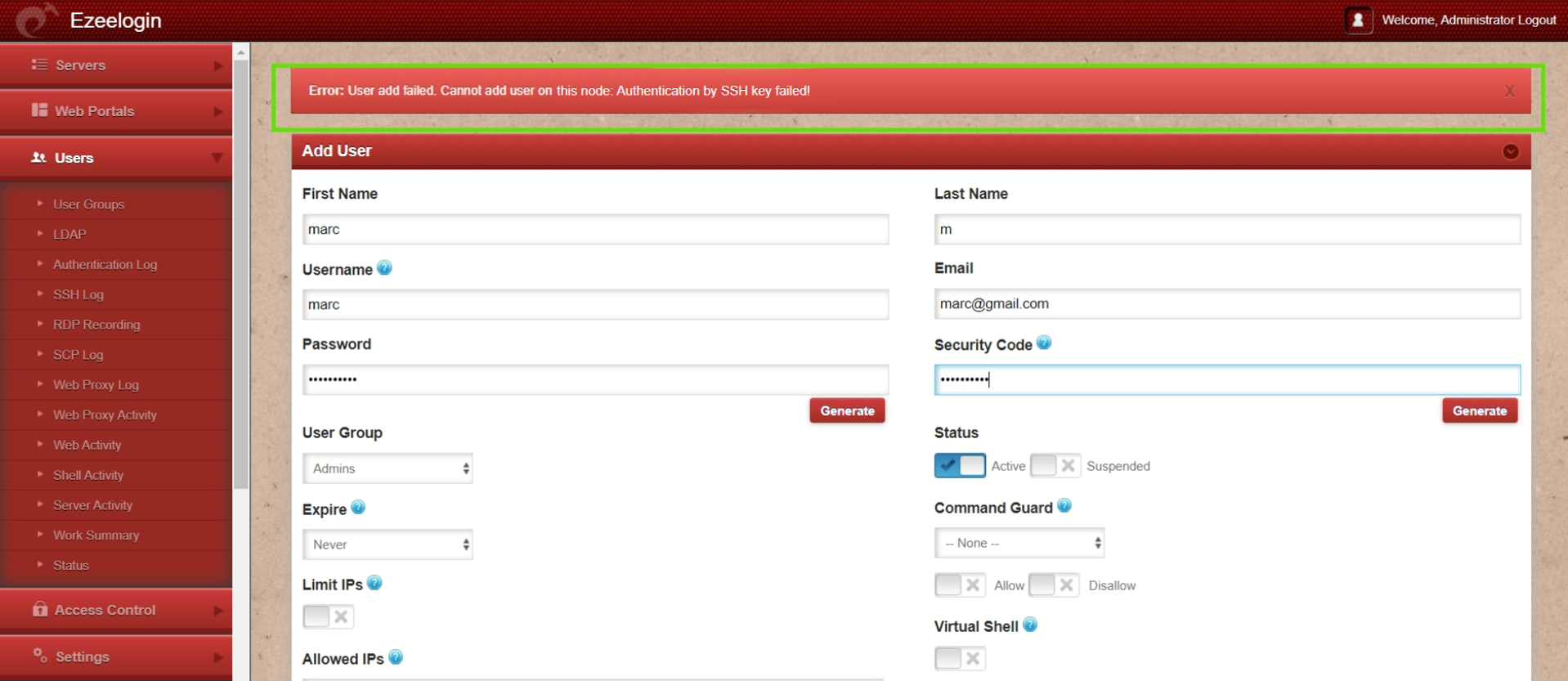
Step 1: Check if the Gateway server (Ezeelogin installed server) is missing its public key from /root/.ssh/authorized_keys file. If the key is missing, run the following command to add it:
Step 1(A): Run the below command to check if the key is back in the file.
Step 2: Run the following command to verify if the recommended SSHD settings are enabled in the /etc/ssh/sshd_config file.
Step 3: Verify the SSH port used on the gateway server with the following command.
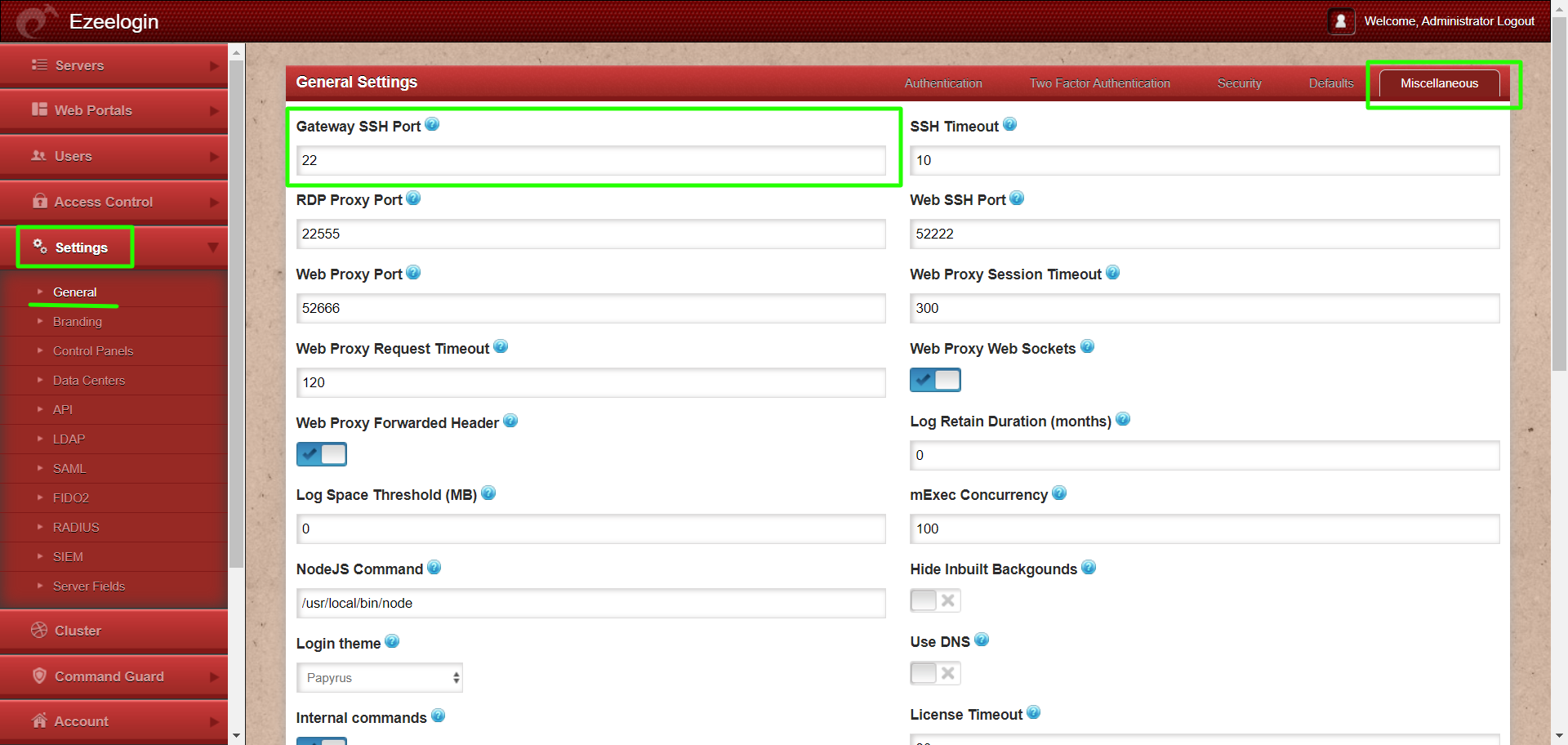
Step 3(A): If a custom SSHD port is being used on the gateway server, ensure it is updated under Settings -> General -> Miscellaneous -> Gateway SSH Port to match the current SSHD listening port on the SSH gateway server.
Step 4: Make sure PubkeyAuthentication is set to 'YES' in the SSHD configuration file.
Stepp 4(A): After making changes restart SSHD
Step 5: Ensure that root login is permitted on the gateway server. You can check this by running the command:
Step 5(A): If it does not log you in, edit /etc/ssh/sshd_config and set PermitRootLogin to yes and restart SSHD.
Step 5(B): After making the changes, ensure that you can log in as root by using the following command and entering the password:
Step 6: Ensure that the web user (such as Apache or nobody) that the web server (Apache/Nginx) runs has read access to the keys in the directory /usr/local/etc/ezlogin by granting read privileges with the following command:
Step 7: Find out which key type is used by the gateway server by running the below command.
Step 7(A): Open /etc/ssh/sshd_config file and append the below line to enable RSA key type and restart SSHD.
If you are running Ezeelogin version 7.37.8 or above and using ssh-rsa or ssh-dss keys, it is recommended to change them to ed25519 for better security and performance.
How to reset cluster keys in ezeelogin Master-slave Configuration ?
Step 7(B): Check for the SSHD error logs of the gateway server.
Refer to the below article if you get "userauth_pubkey: signature algorithm ssh-rsa not in PubkeyAcceptedAlgorithms"
Step 8: Check if the LoginGraceTime parameter is enabled and set to a safe value.
Related Articles:
Error: User modify failed. Cannot modify user on other node: Authentication by SSH key failed!